

Affiliate marketing requires constant creative management. Assets burn out quickly, and performance depends not only on the offer and targeting, but also on the message itself. Format, duration, visuals, copy, and landing page directly impact click-through rates and conversions. This is especially noticeable in in-app advertising—it's crucial to have a tool that allows you to quickly see what competitors are running and gather benchmarks for your own test.
Today, one of the most relevant in-app networks is Moloco. At the same time, the source remains extremely opaque,so a logical question we at RentAcc regularly hear from clients is: "Is there a working spy service for Moloco ?"
In this article, we'll explore SocialPeta , a spy service for searching and analyzing in-app creatives. We’ll look at how registration works, how the dashboard is structured, how search and filters are set up, what the ad card provides, and which materials can be downloaded. We’ll also cover trial limitations and pricing nuances, so expectations around access match reality.
What is SocialPeta and Why It’s Useful
SocialPeta is a large ad intelligence platform that has been operating since 2015. The service is built on a database of over 1.6 billion creatives collected across 80 channels and more than 70 countries. For context, compared to competitors, SocialPeta offers a broader market view and allows you to find more ad variations — especially in highly competitive niches. Essentially, it's no longer just an ad catalog, but a tool that helps make decisions based on monitored advertiser activity.
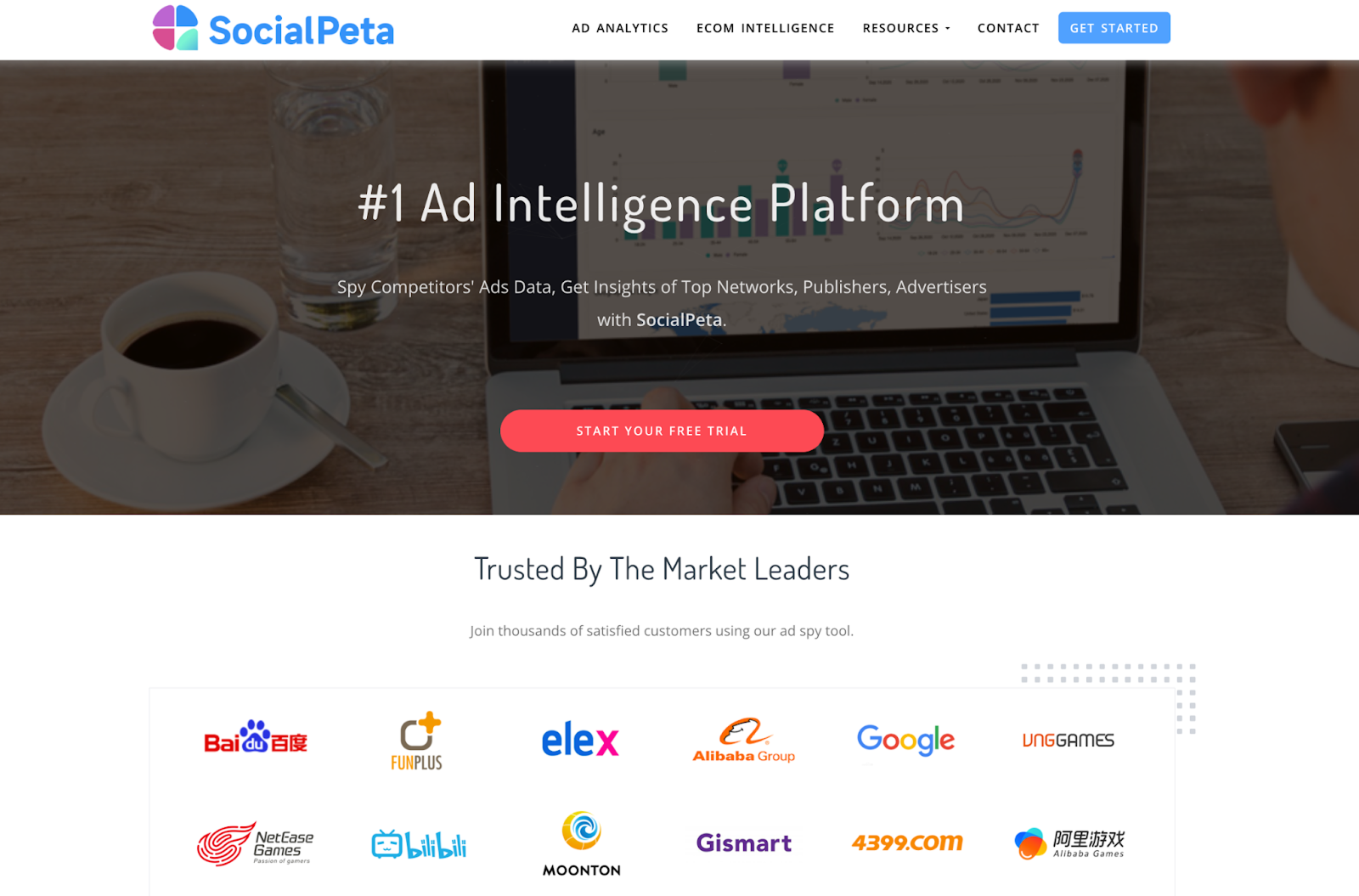
A major advantage is the high data refresh rate. The platform updates in real time, logging over one million database changes daily. This is important in dynamic verticals, as working concepts quickly spread among competitors, and the window of advantage closes very quickly.
Key Analytics Modules:
Ad Analytics (Games, Apps , Brands): deep analysis of who is advertising and what they are running;
Cost Intelligence: a unique module for estimating media buying costs (CPM, CPC, CTR, CPA);
App Intelligence : analysis of stores , ratings and search queries (ASO);
eCom Intelligence: product monitoring on AliExpress , Amazon, Shopify, and other platforms.
For affiliates, the most valuable part is the combination of creative analysis and traffic cost data. This allows you not only to spot ideas, but also to understand how much competitors are spending on a given approach and in which GEOs it performs best.
Features of in-app spy services
Buying traffic inside mobile apps through programmatic networks is fundamentally different from working with Facebook or TikTok. In social networks, you can come across ads directly in your feed, but in-app ads are shown very selectively — inside a specific game, at a specific moment, and to a specific user. Manually catching a competitor’s creative is almost impossible.
This is especially true for Moloco DSP. The source is well known for its machine learning algorithms and high-quality traffic, but it is completely opaque to outside observers. Without a specialized spy service, you simply won’t know which approaches competitors are using in gaming, dating, or mobile apps specifically within Moloco.
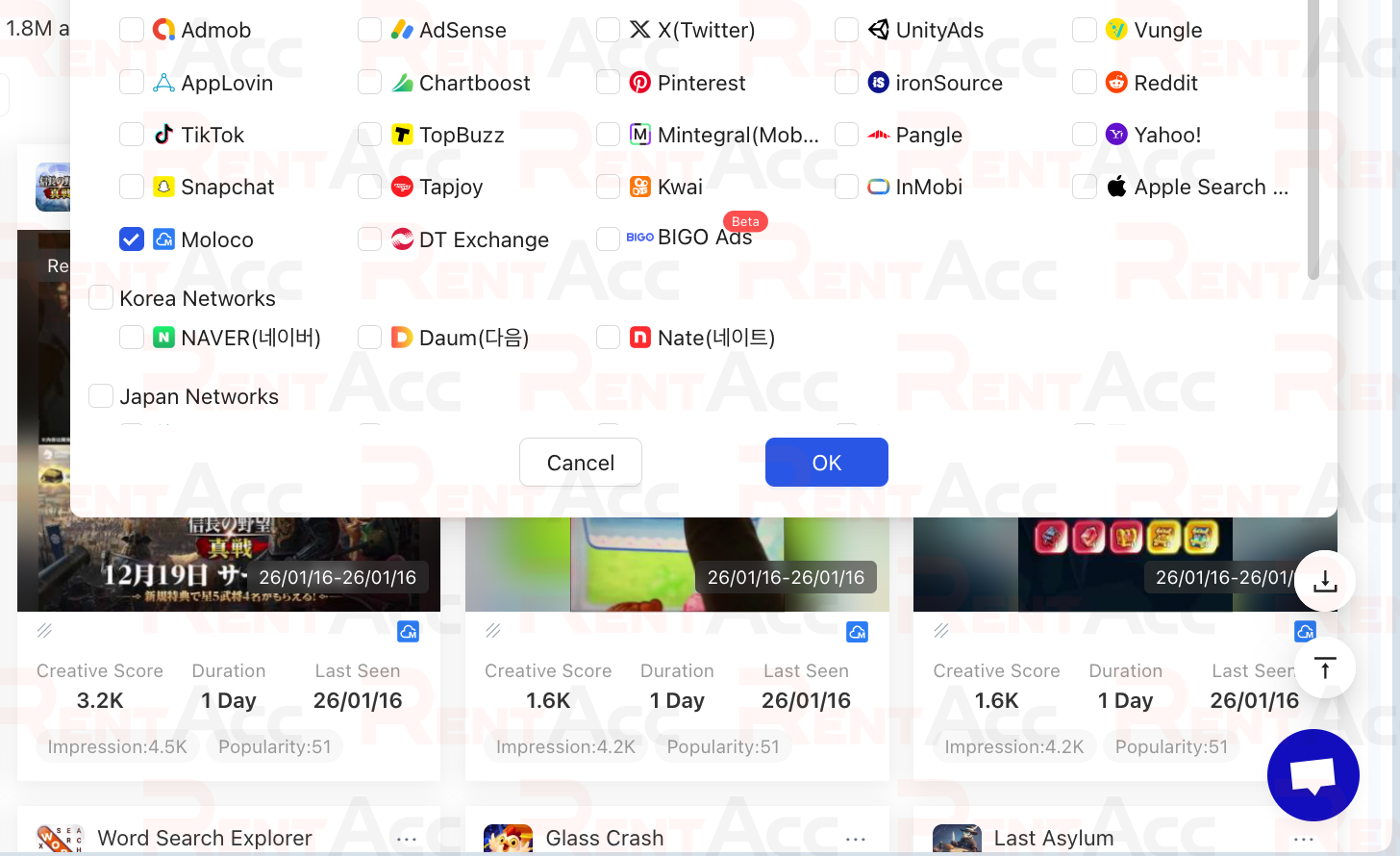
SocialPeta solves this problem by aggregating data from more than 70 ad networks, effectively becoming a single window into large-scale in-app analytics. Thanks to deep SDK-level integrations with major mobile networks, the service can see ads in placements that regular parsers cannot reach.
Registration in SocialPeta
Registration in SocialPeta starts with a short form and takes no more than 5 minutes. The service requests a minimal set of data to create a profile and set up the account. During signup, you’re asked to provide: he following information:
Industry;
E-mail;
Username;
Password and password confirmation;
Phone number with country code;
Company name.
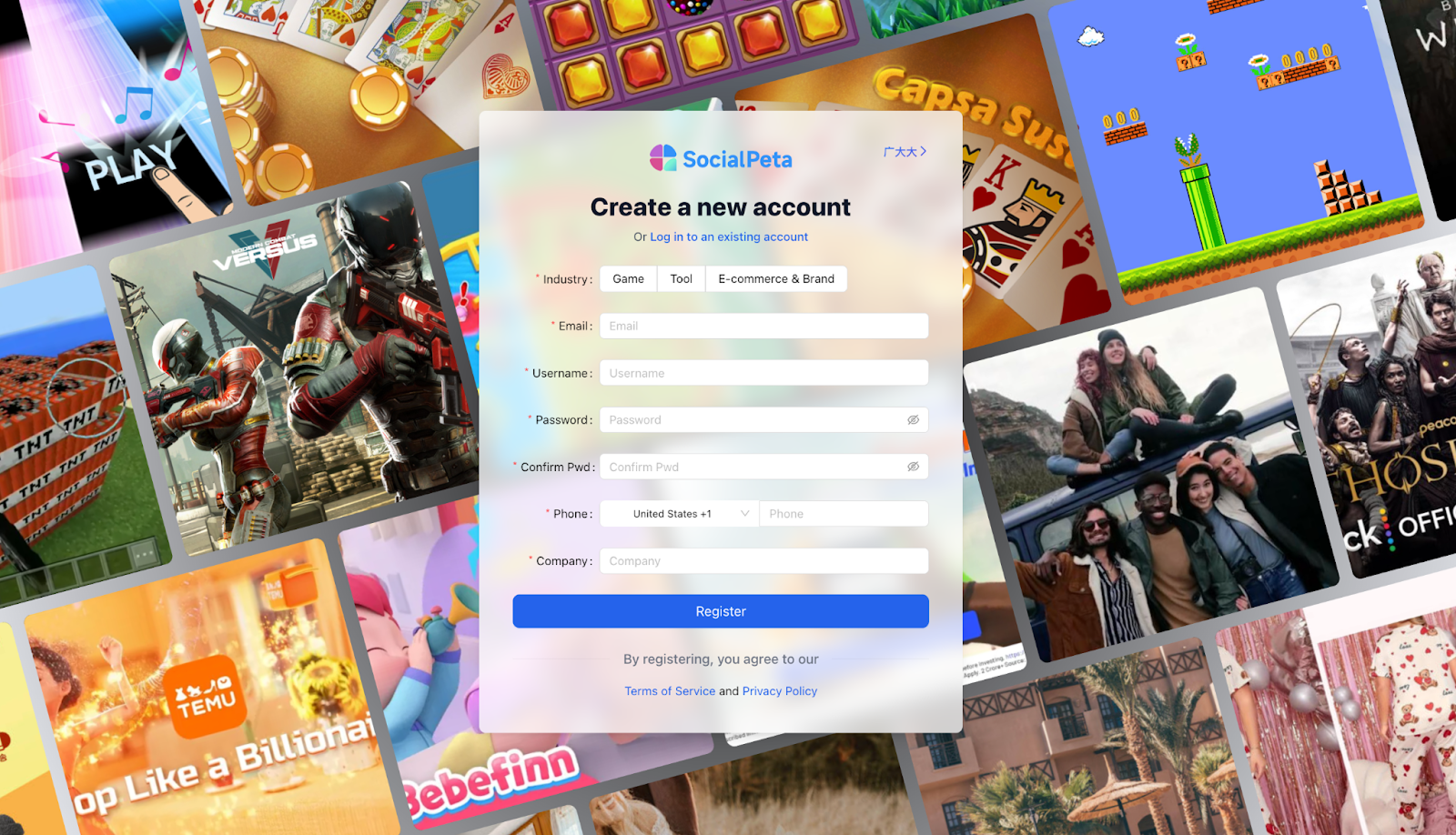
After filling out the information, click the "Register" button and accept the terms of service. The page also contains a link to log in to your existing account if you already have one. After submitting the form, a confirmation email will be sent to the email address you provided .
After registration, a free three-day trial is activated. During the trial, some sections and features remain unavailable. Full access opens only after payment, but there is no option in the dashboard to choose a plan and pay directly. Pricing and activation are handled through a manager after the trial period ends.
Key Features of the Dashboard
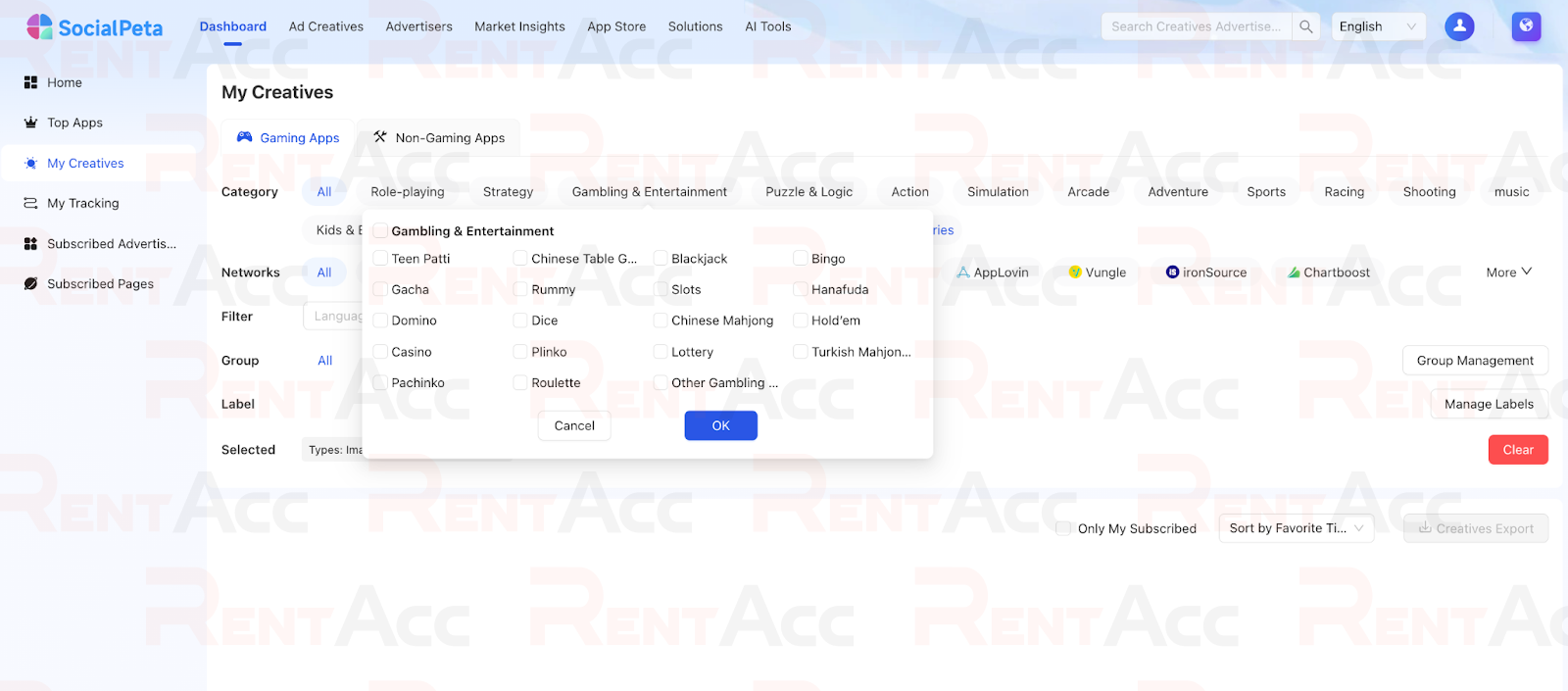
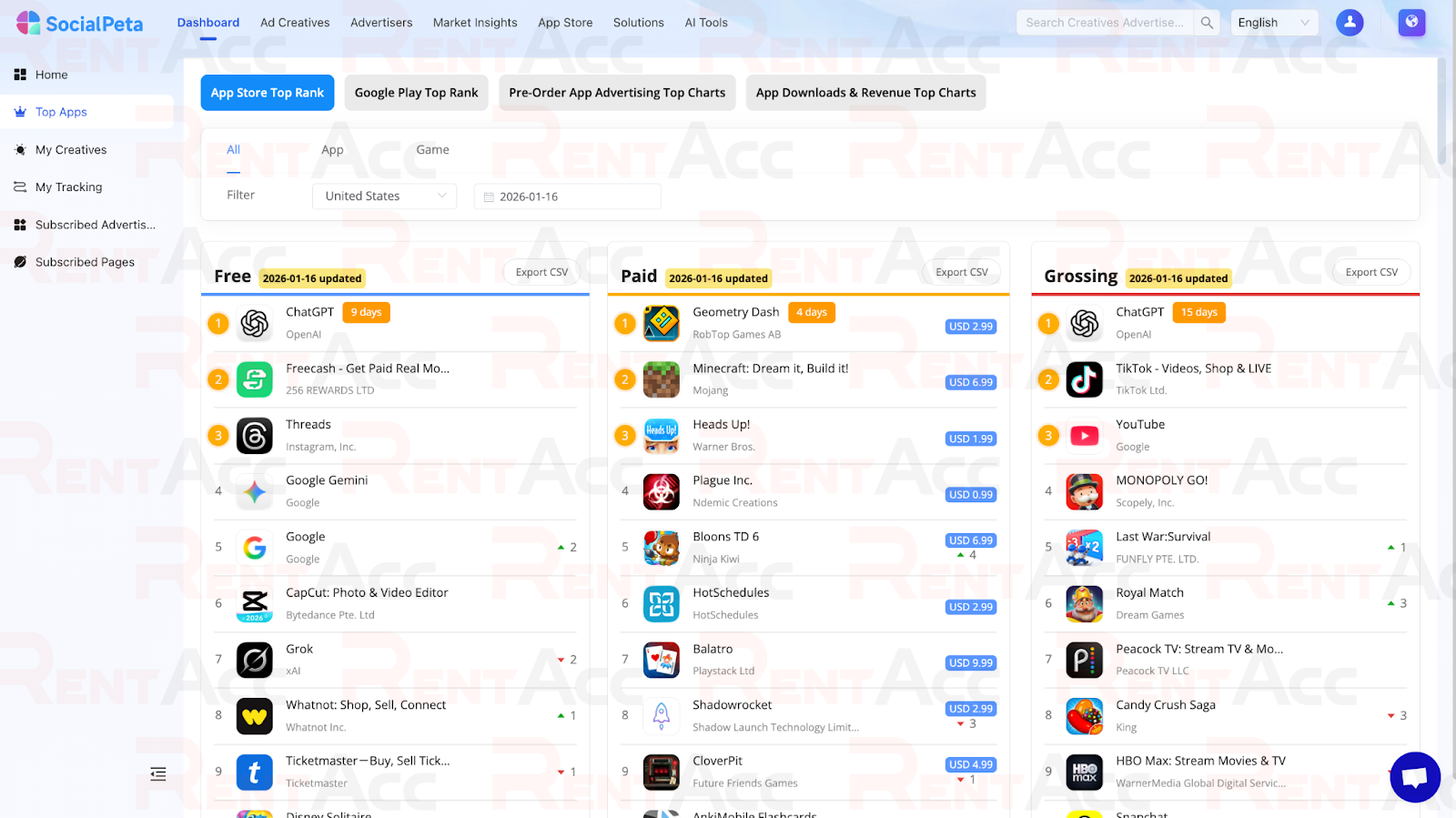
After logging in, you land on the main page. This is the start screen, from which you can easily navigate to key work areas and saved materials. The left menu contains key navigation items.
Home;
Top Apps;
My creatives ;
My tracking;
Subscribed advertisers;
Subscribed pages.
The homepage also displays blocks with saved searches and active subscriptions.
The platform is well suited for media buying teams. The dashboard includes collaboration features that allow teams to separate personal collections from shared searches. This makes it easy for buyers, creative teams, and designers to work within a single account and quickly exchange references without constantly forwarding files.
The KOL Intelligence module is especially worth mentioning. This is a tool for finding and analyzing influencers. TikTok , YouTube, and Instagram . It helps you find relevant bloggers by niche, evaluate audience parameters, and view the history of advertising integrations.
Working with Creatives: Advanced Search and Filters
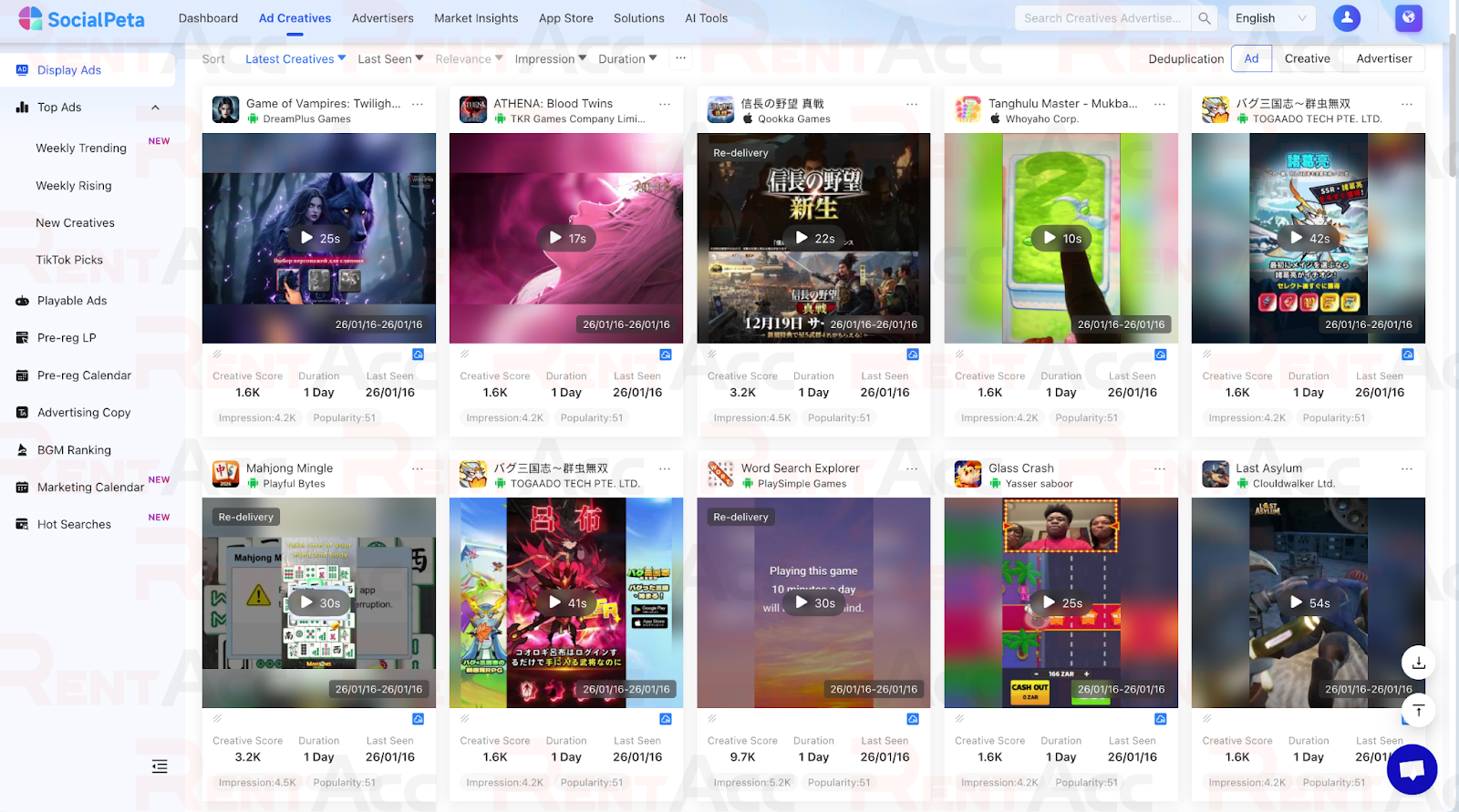
The Ad Creatives section is the central hub where you build your search results based on keywords and filters. At the top is the search bar, and below is an advanced settings panel. The filter system allows you to find any ad across 80 channels and 70+ countries. You can select the country, channel, device type, and media format—whether it's image, video, carousel, HTML or playable ads..
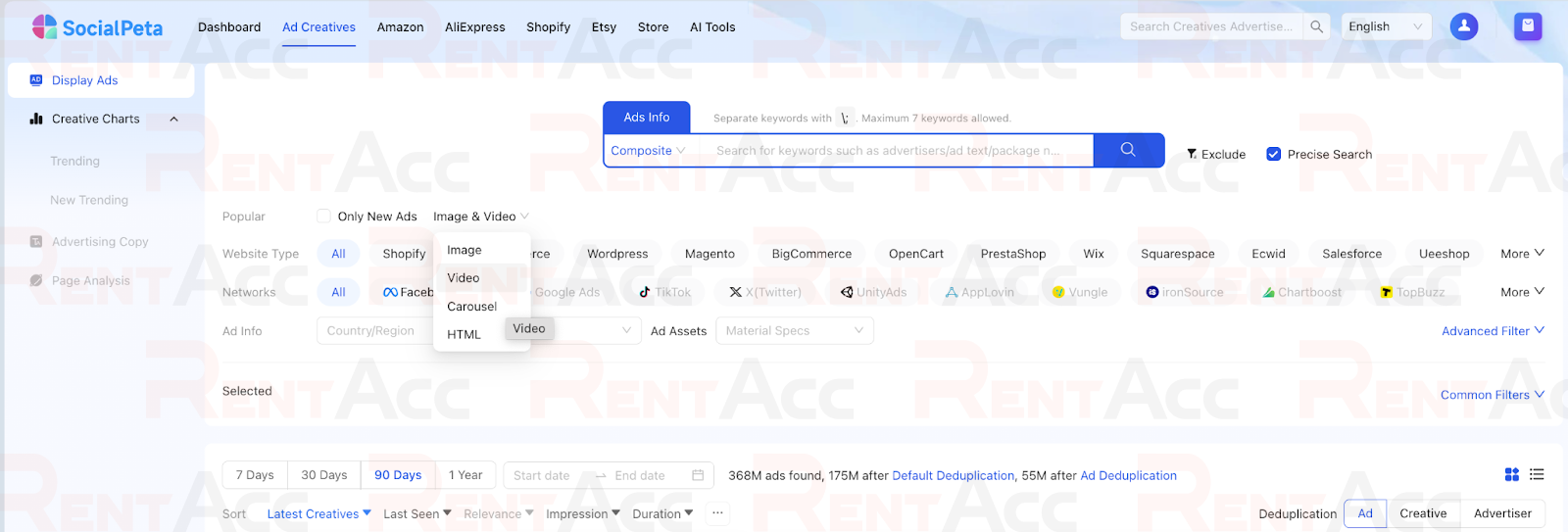
The most effective way to approach the in-app environment is to focus on networks linked to mobile inventory. In the interface, these are UnityAds, AppLovin, ironSource, and Vungle. If your goal is to find ad creatives that are potentially running in apps via Moloco, start with these networks. When choosing a format, keep in mind that video or HTML creatives usually convert better in apps.

To prevent working with discovered creatives from becoming routine, it makes sense to establish a systematic approach to traffic management from the start. RentAcc automates this process: the platform provides a comprehensive traffic management tool— automatic rules for Moloco .
A key SocialPeta feature is the “Material Specs” filter. You can filter videos by length (e.g., strictly up to 15 seconds), resolution, and even file size. This allows you to find references that perfectly match the technical requirements of the selected ad network.
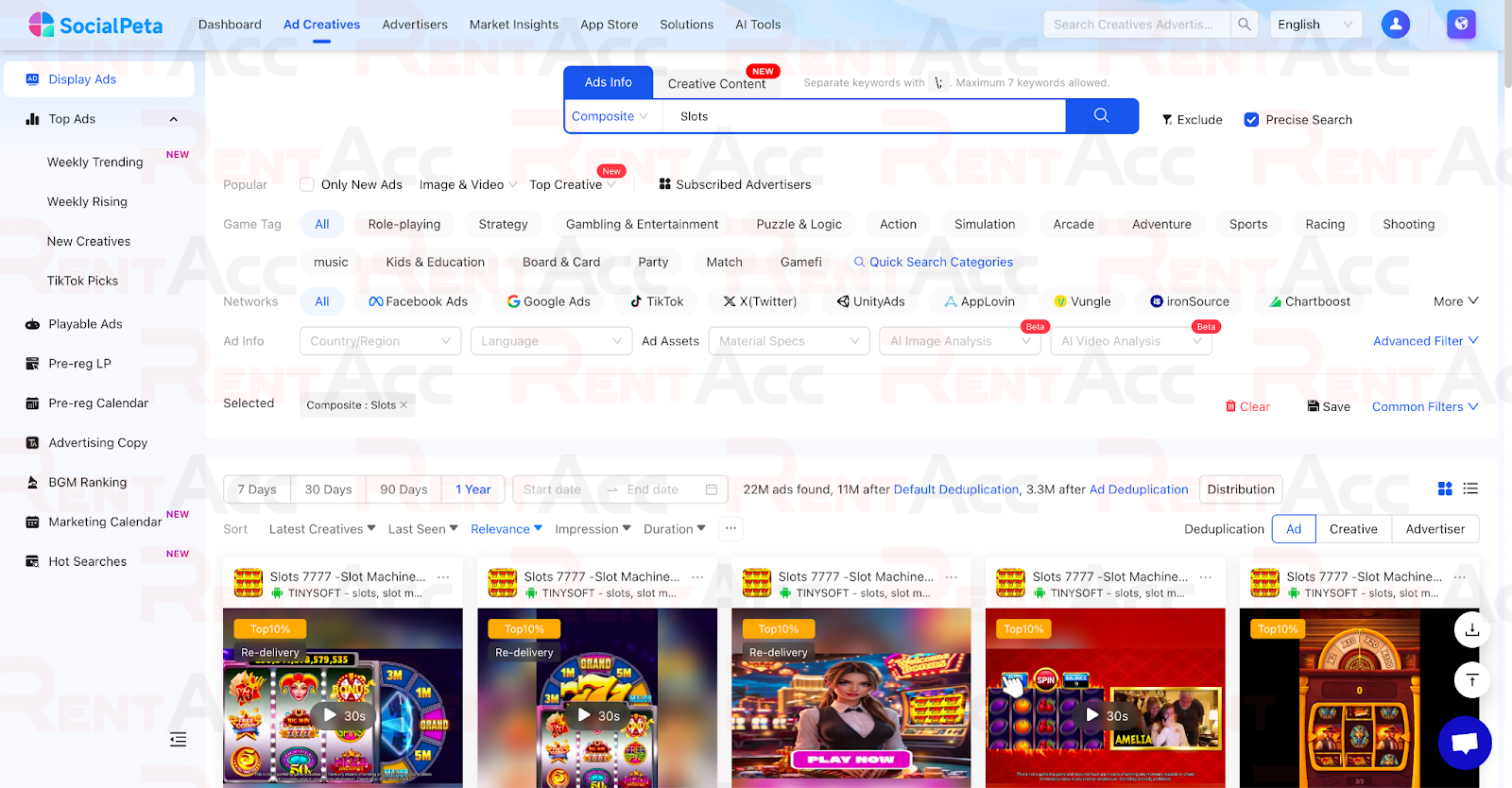
The results section includes counters for result volume and deduplication toggles. Without deduplication, searching through large volumes of data can be extremely time-consuming. It’s recommended to first review the results with basic settings and then enable stricter deduplication. Keyword search supports inclusion and exclusion logic, allowing you to filter out branded traffic or irrelevant offers.
Deep Analysis: Cost Intelligence and eCom
The Cost Intelligence module deserves special attention. Unlike simple ad libraries, SocialPeta Provides cost analytics. You can see the average CPM and CPC for a specific country, niche, and platform. This data is invaluable for a media buyer, as it allows you to understand the approximate entry threshold and predict ROI before committing your budget .
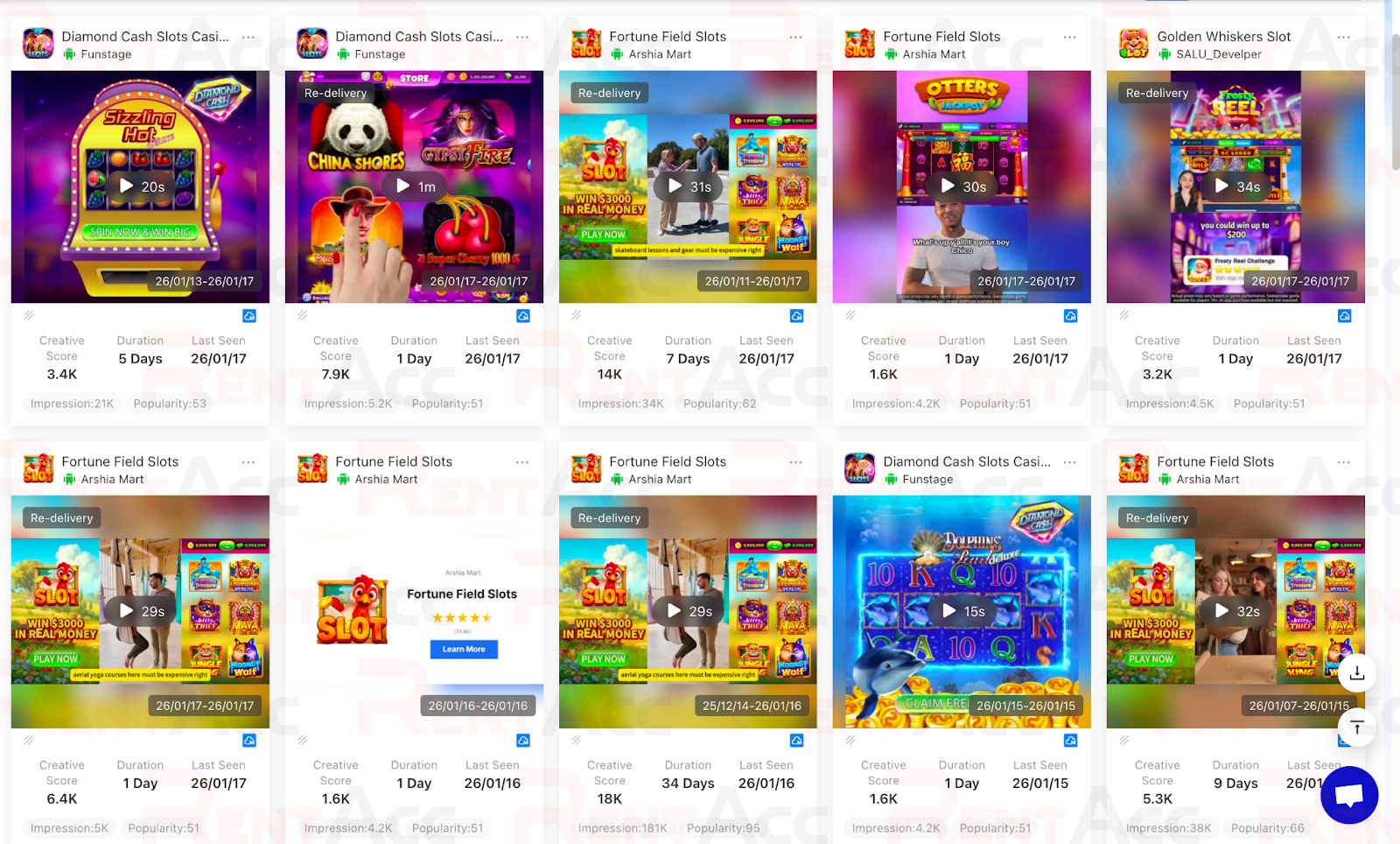
For e-commerce and dropshipping, SocialPeta offers the eCom Intelligence module. It provides analytics for over 4 million products on AliExpress and thousands of Shopify stores. Within the module, you can track demand metrics, growth trends, and see the ads used to promote specific products.
Creative Card: How to Squeeze the Maximum Insights
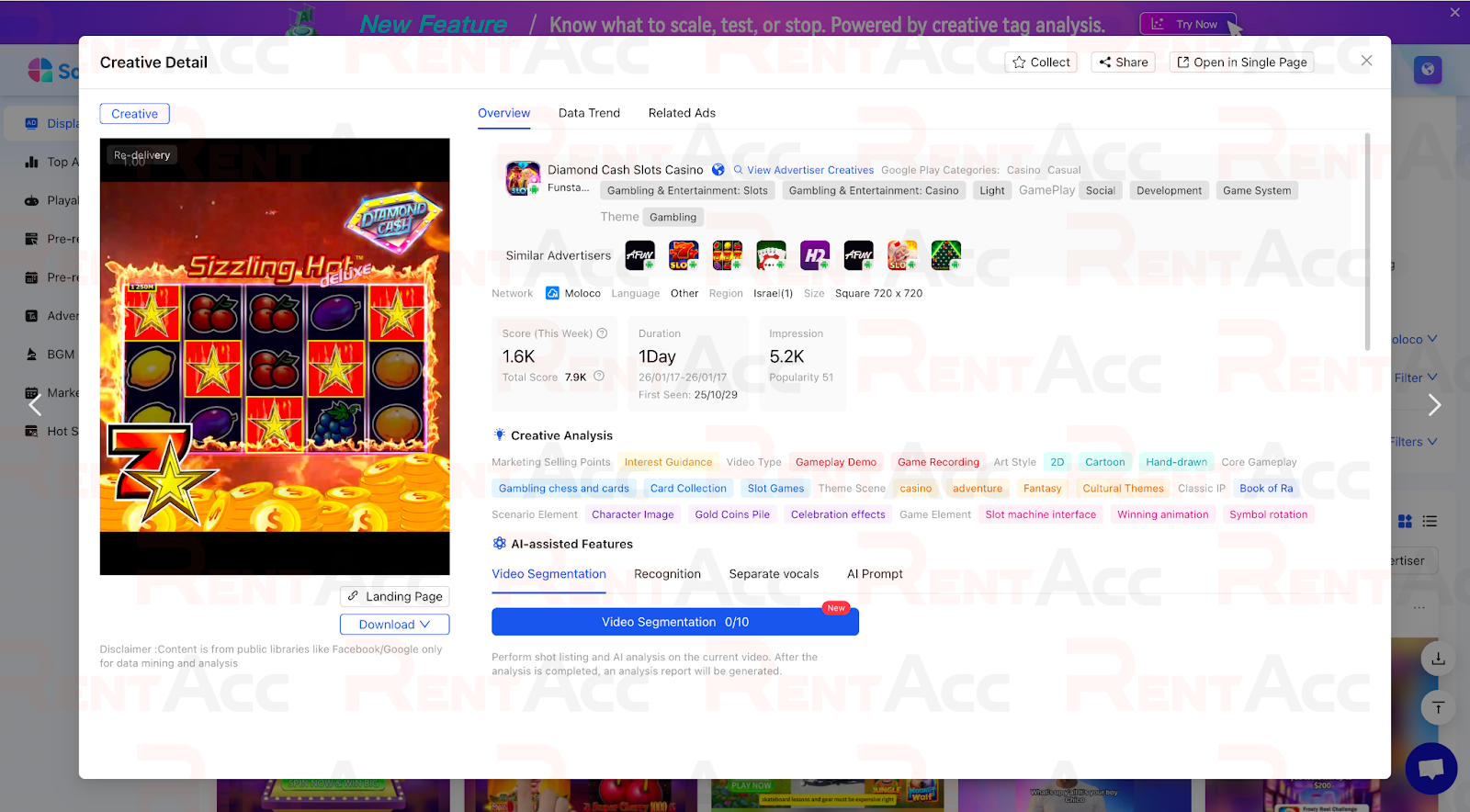
When you open a specific ad, SocialPeta displays a card with detailed information. The card contains tabs like Overview, Data Trend, Related Ads, and Audience. These display creative in context, taking into account where it ran, how long it ran, and what versions it has. The card also includes the option to download the video or thumbnail directly.
The Related Ads tab shows how the same or similar creatives are used by other advertisers. This is a perfect way to check whether the creative is a one-off or has already spread across the market.
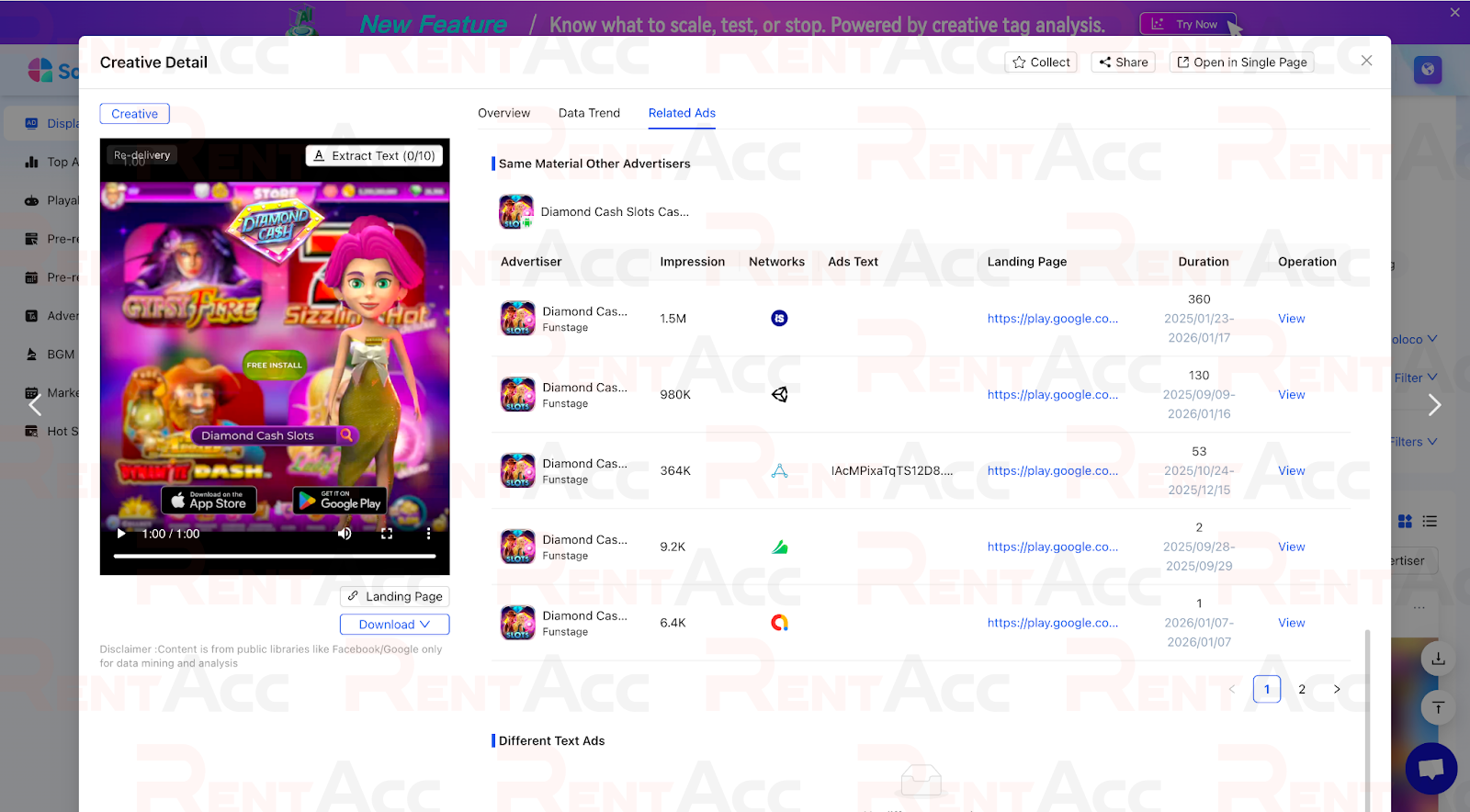
If you see many related placements, it indicates that the approach is proven and currently being scaled.
The Audience tab provides demographic insights, including gender, age, and geography. Use this as a supporting signal to check whether the creative’s visual language aligns with the intended audience.
In practice, working with in-app creatives doesn’t stop here. After analysis, it’s crucial to prepare the launch correctly. RentAcc clients get expert support for in-app creatives — from consultations on formats and approaches to technical assistance for launches and scaling campaigns.
Trial limitations and pricing nuances
The SocialPeta trial lasts only three days and activates automatically after registration. This is enough to explore the interface and database depth, but note that some features inactive or limited.
A key feature of the service is the lack of a public pricing page and the ability to pay for a subscription in a few clicks directly from the dashboard. Pricing is determined individually through a manager. After the trial, a company representative contacts you to offer terms based on your needs. Communication with the Chinese office may not be the fastest, so be prepared for this.
A common practice in affiliate marketing is creating new accounts for one-time prospecting sessions when you need to quickly generate fresh ideas without purchasing a subscription.
Pros and cons of SocialPeta
The service's clear advantages include a powerful Ad Creatives section with in-depth filters and deduplication modes , as well as the ability to analyze technical parameters of materials and download high-quality source files. Separate modules for influencers (KOLs), app marketplaces, and traffic cost analytics provide a significant advantage when planning campaigns .
The main drawback remains the non-public pricing and reliance on communication with a manager. Before paying for the service, a call with the sales team is almost always required, and prompt feedback can be difficult to obtain. If you're looking for a spy service that you can pay for in a couple of clicks without any phone calls or negotiations, SocialPeta may seem inconvenient. However, for professional in-app analysis and understanding Moloco strategies, there are no alternatives with comparable reach and data depth.
Conclusion
SocialPeta is a powerful tool with a massive creative library and intelligent filtering. It provides fast access to ad feeds, lets you examine creatives in detail, and helps gather content tailored to specific formats.
The best strategy for working with the service is to use it as a mandatory step before testing. First, gather a sample, track patterns in Related Ads, study popularity trends, and only then produce your own creatives.
Take advantage of the three-day trial to quickly explore and evaluate the tool's potential. Combine SocialPeta’s insights with your own experience, and for seamless launches and safe scaling of campaigns, automate processes and manage traffic through the unified RentAcc platform.
 Share this post