

Unlimited budgets, trusted creatives, and precise targeting mean nothing if a webmaster doesn’t have detailed analytics at hand. One overlooked red flag — and positive ROI during scaling is suddenly at risk.
The owners of the Moloco Ads advertising network have not ignored the perennial problems of media buyers and have released Reports — detailed insights into both active and archived campaigns.
In this article, we explain how reports in Moloco Ads work, which metrics can be analyzed, and why webmasters should take a closer look at this tool.
What is Moloco Ad and how does its algorithm work?
Before diving into reports, let’s briefly review the specifics of this ad network and how its algorithms operate.
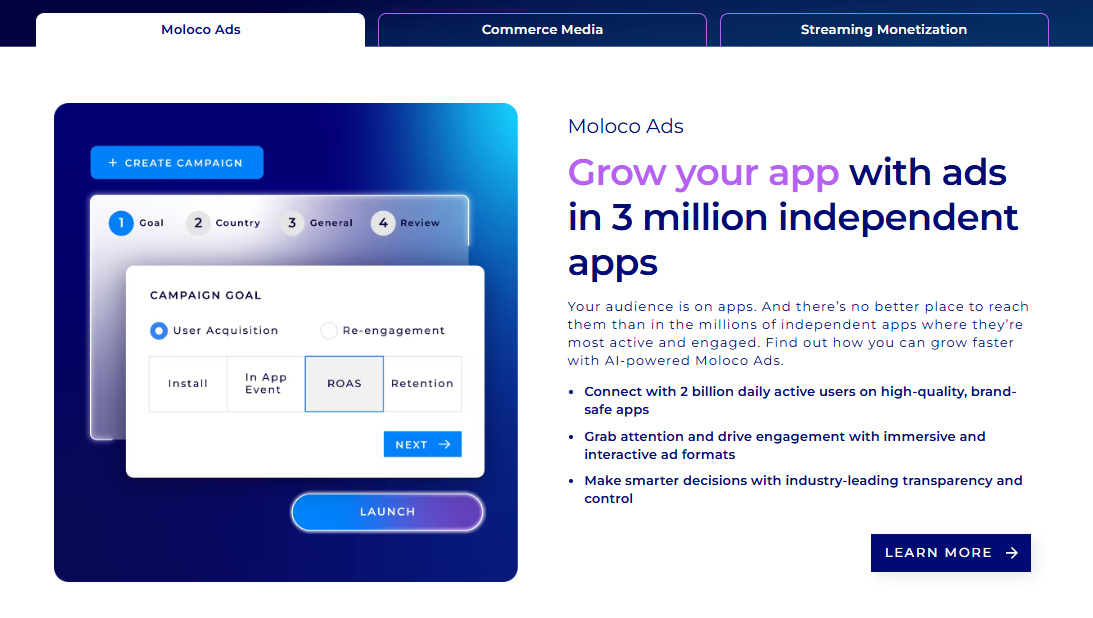 Source: Moloco - Grow, scale, and monetize with AI Advertising
Moloco Ads is a closed-loop in-app advertising network that launched in 2013. The developers position the product as a programmatic cloud and AI-powered advertising performance platform. The network's ecosystem includes 3 million apps and reaches 2 billion users worldwide.
If you dig deeper, it turns out that Moloko is fundamentally different from the average advertising network.
AI algorithms. Moloco Ads' unique feature is that its algorithms are a combination of machine learning and deep networks. In simple terms, it’s like having a neural-network-powered assistant capable of:
- predict the approximate conversion rate for specific creatives;
- direct the budget in favor of winning creative projects;
- manage rates;
- divide the audience into segments.
However, this does not mean artificial intelligence does all the work while the webmaster simply collects profits. Media buyers still need to optimize creatives, apps, and offers. Without detailed statistics, mistakes are inevitable — and this is where Reports become essential.
DSP model. DSP stands for Demand-Side Platform. Simply put, Moloco Ads doesn't have its own ad placements, unlike most ad networks.
Moloco is an intermediary between media buyers, advertising networks, and individual apps. Moloco currently has over forty partners, but the developers do not disclose the full list.
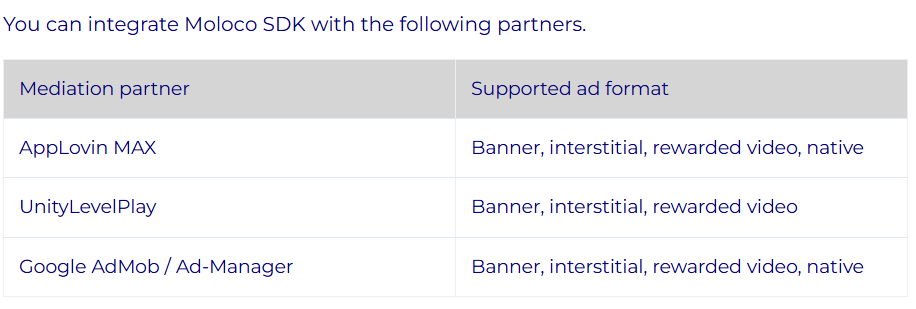
Source: What is in-app header bidding? – Moloco SDK Help Center
The DSP model is not a disadvantage of Moloco — in this case, the media buyer will get access to several placements instead of one.
Having understood how this network works, it becomes clear that analytics is a factor that determines the results of advertising campaigns. One mistake, and the AI will learn from this data.
Moloco Ads doesn't allow publishers to access detailed settings: if you neglect analytics and feed the AI only generalized information, the algorithms won't understand your goals and waste your budget.
How to Use Reports in Moloco Ads
Media buyers often note that the Moloco Ads interface is less intuitive compared to other ad platforms. To save you time on documentation and guides, we’ve prepared a clear explanation of how to work with reports correctly.
Immediately after logging in, you’ll see the main dashboard.
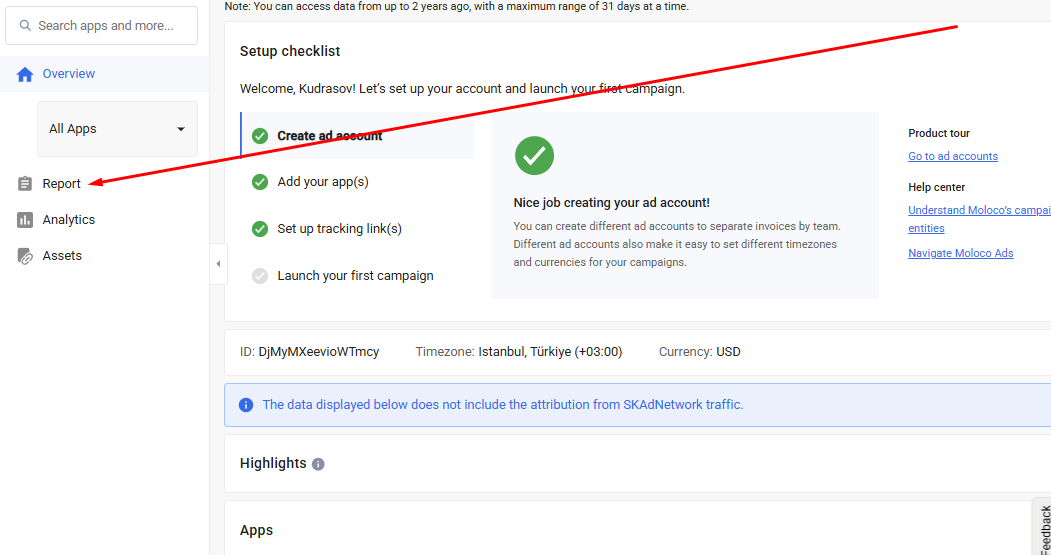
Next, click on the “Report” tab to proceed with the reporting tools.
Moloco Ads' Reporting Dashboard Overview
After opening the Reports section, you enter a workspace that does not fully fit on a single screen.
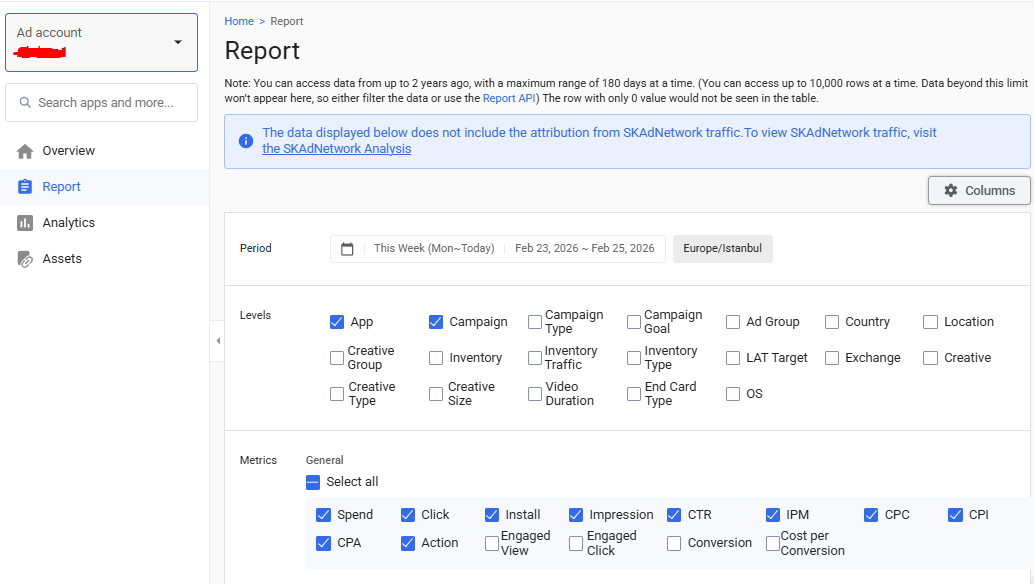
Getting confused in Moloco Ads reports is common. To make things clearer, let’s go through each field from top to bottom.
Timeframes
The “Period” tab in Moloco Ads allows webmasters to define the timeframe for data collection.

The maximum selectable range is 180 days, while the minimum is one day.
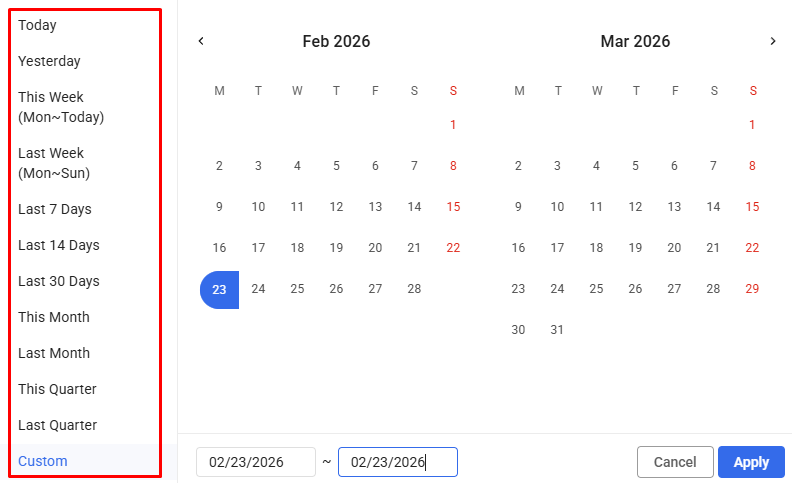
The timeframe for reports can be set manually or ready-made patterns can be used.
Levels
Through this tab, webmasters segment information about advertising campaigns into clusters.

The data can be divided into 19 categories:
- applications;
- advertising campaigns;
- campaign types (user acquisition or retention);
- campaign goals (installs, clicks, etc.);
- ad groups;
- ad sets;
- individual creatives;
- creative categories (video, static, interactive);
- static creative resolutions;
- video durations;
- end cards;
- countries;
- local regions;
- operating systems (Android or iOS);
- LAT (Limit Ad Tracking) status on iOS devices;
- placements (such as Unity Ads, AppLovin, Google AdMob);
- traffic type (in-app or mobile web);
- ad network placement format (banner or native);
- specific apps where creatives were displayed and their store names.
As a result, you will receive detailed statistics: for example, the number of installations in a specific Italian province, broken down by device and specific creatives.
After collecting data during testing, a media buyer can significantly increase the chances of “hitting the mark” in future campaigns. All it takes is selecting the right checkboxes and analyzing the breakdown correctly.
Metrics
The statistics collection doesn't end there — Moloco developers have added metrics that are divided into three sub-items.
Basic Metrics. The "General" tab contains fundamental parameters.
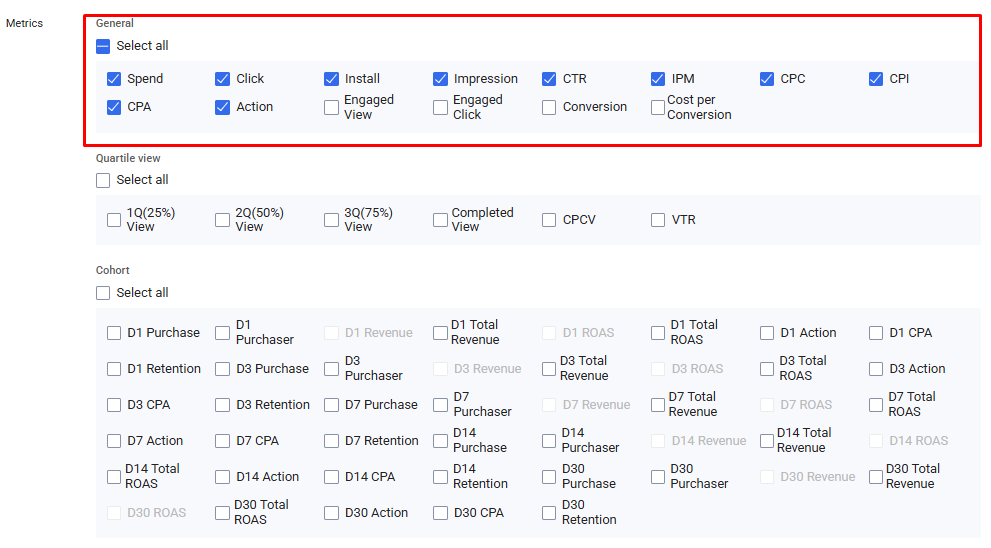
All previously mentioned levels can be broken down by specific metrics, including:
- impressions;
- clicks;
- target views;
- target clicks;
- installs;
- target actions;
- conversions;
- spend;
- CTR;
- IPM (installs per 1,000 impressions);
- CPC (cost per click);
- CPI (cost per install);
- CPA (cost per target action).
The platform offers flexible customization — you can fine-tune parameters with precision.
Video Creative Metrics. Next is the “Quartile View” subsection, which collects statistics for video creatives.
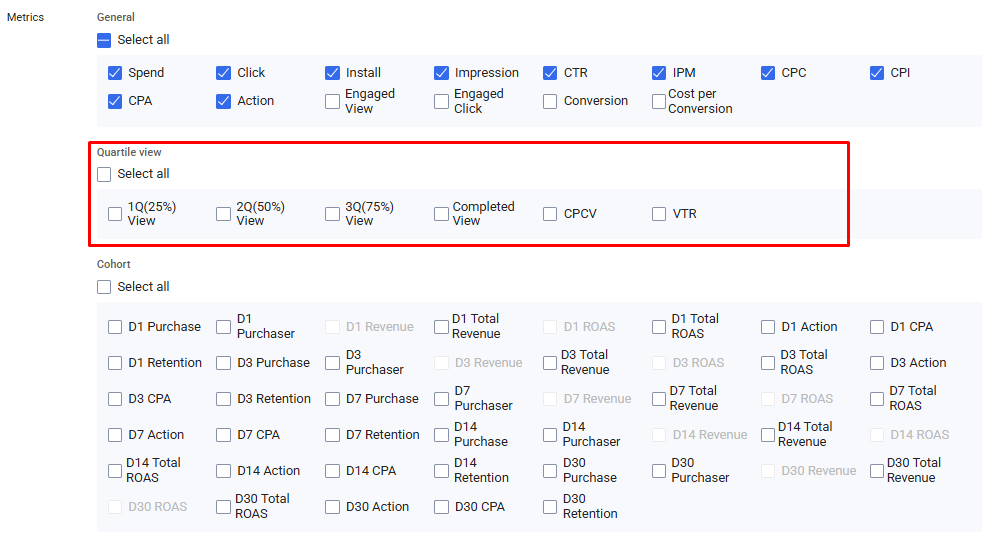
The metrics "1Q," "2Q," and "3Q" reflect the number of users who watched 25%, 50%, and 75% of the video creative. "Completed view" refers to users who watched the entire creative.
VTR is the percentage of the audience that watched the entire video, and CPVC is the cost per full view.
Cohorts. The final section is “Cohort”, which provides information useful for cohort analysis.
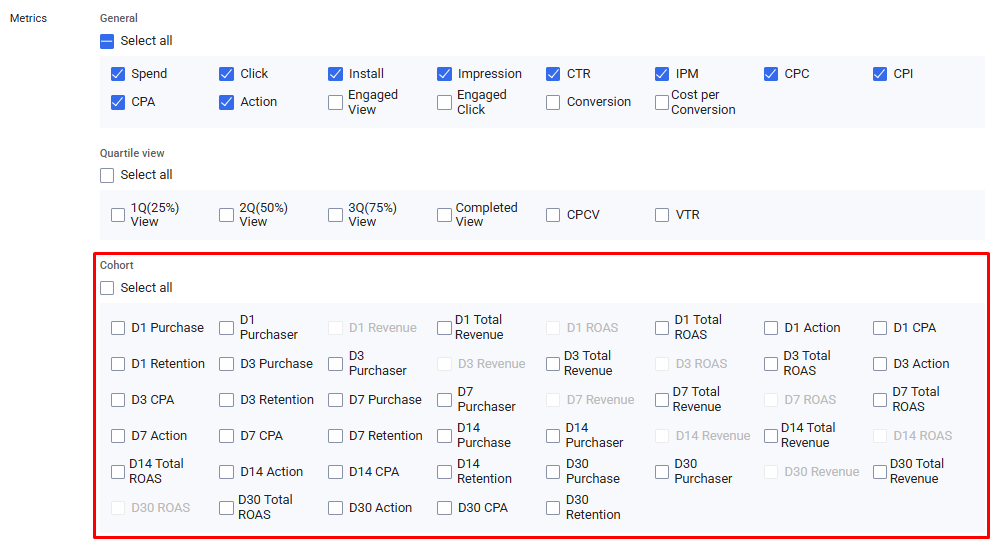
The “D” index stands for day, and the number indicates how many days have passed since the campaign launch.
Now that we've sorted out the interpretation, let's run through the metrics:
- Purchase — total number of deposits or purchases;
- Purchaser — number of unique leads;
- Revenue — revenue generated by a specific campaign;
- Total Revenue — combined revenue across all campaigns;
- ROAS — return on ad spend;
- Action — number of target actions;
- CPA — cost per target action;
- Retention — percentage of users who returned to the app.
All that remains is to select the number of days and you're done.
Time and events
To avoid manually scanning large data tables, activate the “Date” option — statistics will then be grouped by day.

The “Events” parameter is responsible for collecting data from your MMP tracker for specific events. If you ignore this function, the algorithms will optimize solely based on the campaign’s primary objective.
In our example, five events are available — the number of events depends on the specific app and the MMP configuration.
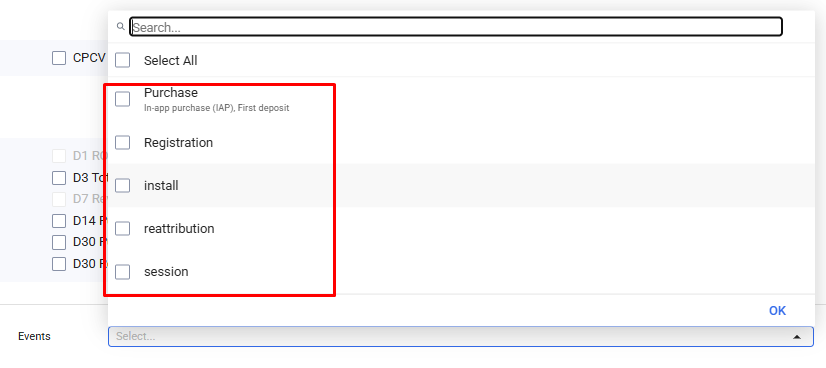
First deposits, in-app purchases, registrations, installs, duplicates, and app opens.
Filters
Filters help eliminate unnecessary data.

There are more than 30 customizable parameters available.
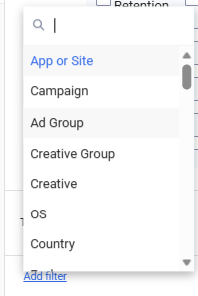
To make it clearer, let’s look at how the “Country” filter works.
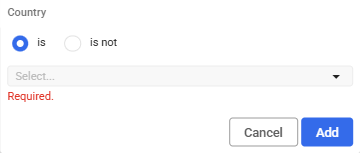
In the “is” field, select the countries you want included in the report. In the “is not” field, exclude GEOs that are not relevant to you.
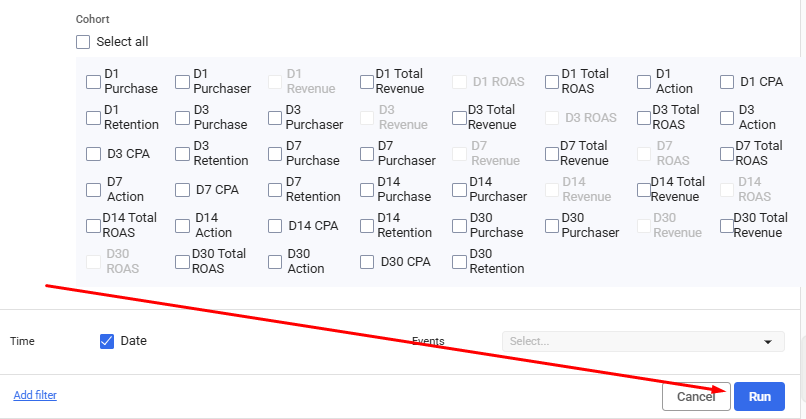
Then simply click “Run” to generate and analyze the report.
How to download reports in Moloco Ads
To download the report, click on the "CSV" button.
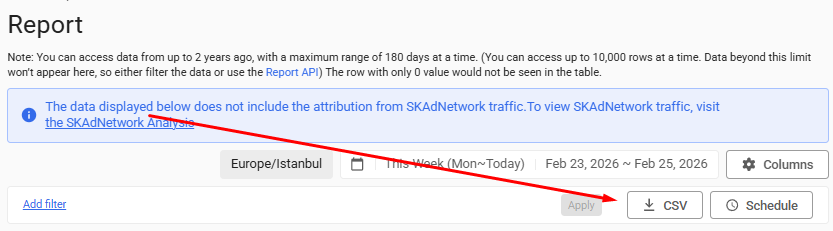
This file can be opened in Excel.
How to receive Moloco Ads reports via email
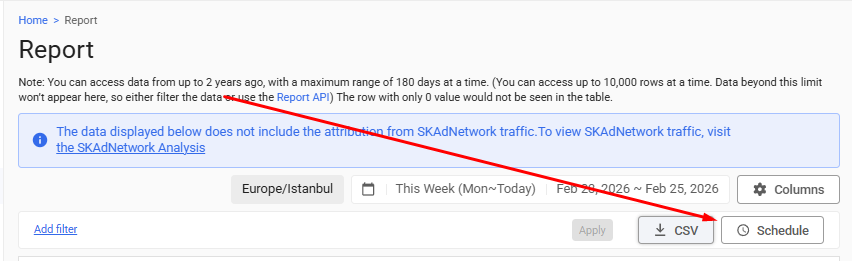
If you don’t want to download reports manually, you can schedule automatic email delivery at a chosen interval. To do this, click “Schedule.”
Next, we select the required columns, timeframe and frequency.
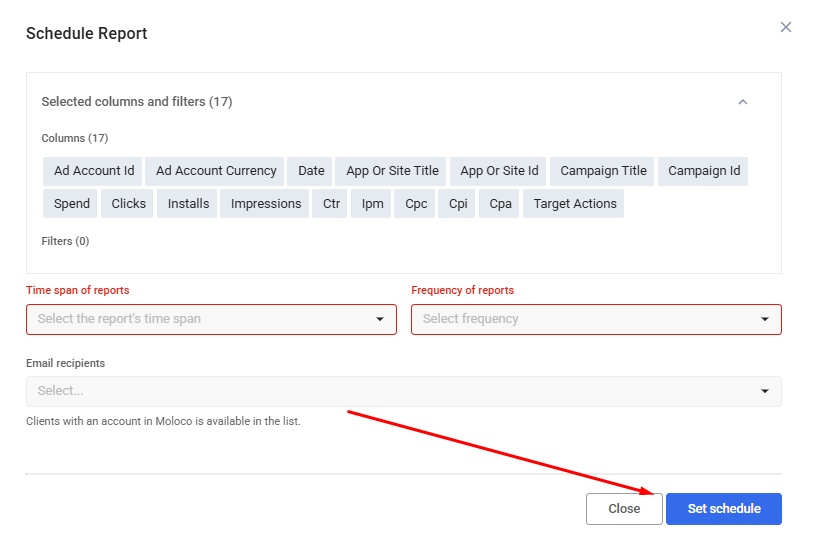
All that remains is to enter your email address and click on the “Set schedule” button.
Conclusion
Moloco Ads is an advanced advertising network suitable for launching gaming campaigns and beyond. Due to internal limitations, webmasters have minimal direct involvement in ongoing campaign adjustments beyond the initial setup.
In Moloco's case, analytics is the key to profit. If you get your targeting wrong, the AI algorithms will use that information as a basis and waste your budget. To make matters even more challenging, accessing the ad network without outside help is virtually impossible.
If you prefer to avoid unnecessary complications, consider RentAcc. We help webmasters launch, automate, and manage Moloco campaigns. Our managers answer your questions, connect you to the service quickly, and guide you through RentAcc’s unique features — including automatic campaign stop in case of app bans and AutoRules for monitoring Moloco metrics and balances.
 Share this post