

This year, running traffic got harder for affiliates as Facebook completely overhauled its audience-matching system for ad campaigns. In April 2026, Meta rolled out a technology called Computer Vision. It scans images and videos at the pixel level, recognizes objects, and reads text directly off the creative. Based on this data, the algorithm now decides on its own who to show the ad to.
Against this backdrop, moderation has become much stricter, and the delivery algorithms have changed completely. Creatives now need to be refreshed far more often — and this has to be done with a clear understanding of which approaches currently not only pass moderation but also actually generate reach.
Because of these changes, spy tools have become a must-have for solo buyers and large teams alike. In this piece we'll break down the functionality of the Tyver platform. It collects around 92% of all creatives from Facebook and Instagram across 140 countries, which helps in finding working angles.
Tyver's capabilities: update speed and database uniqueness
Tyver's developers understood the real pain points of media buying from the start, so they designed the service specifically as a tool for in-depth analysis of affiliate angles. By 2026, the platform had cemented its place at the top of the market thanks to the sheer size of its database and how frequently it's updated.
Tyver lets you search creatives across 140 GEOs and adds more than 3 million new ads to its database every day. The feed itself refreshes every few hours.
This speed means you can still see creatives in Tyver's database even after Facebook's moderation has taken them down. Even if an ad only ran for a couple of hours before getting blocked, it still stays in the feed. That way you can not only find working creatives, but also see clearly just how aggressive an approach moderation is currently letting through in a given niche.
Fast database updates help you grab competitors' fresh creatives first and put them into rotation before they go public. That gives you a head start and helps you avoid burning money testing angles that have already been squeezed dry.
Breaking down the Tyver spy tool interface
The spy tool's interface is kept as simple as possible, so even a complete newcomer who's never used a service like this before can figure it out without trouble. All the filters are laid out on a single screen, so there's no need to jump between different tabs.
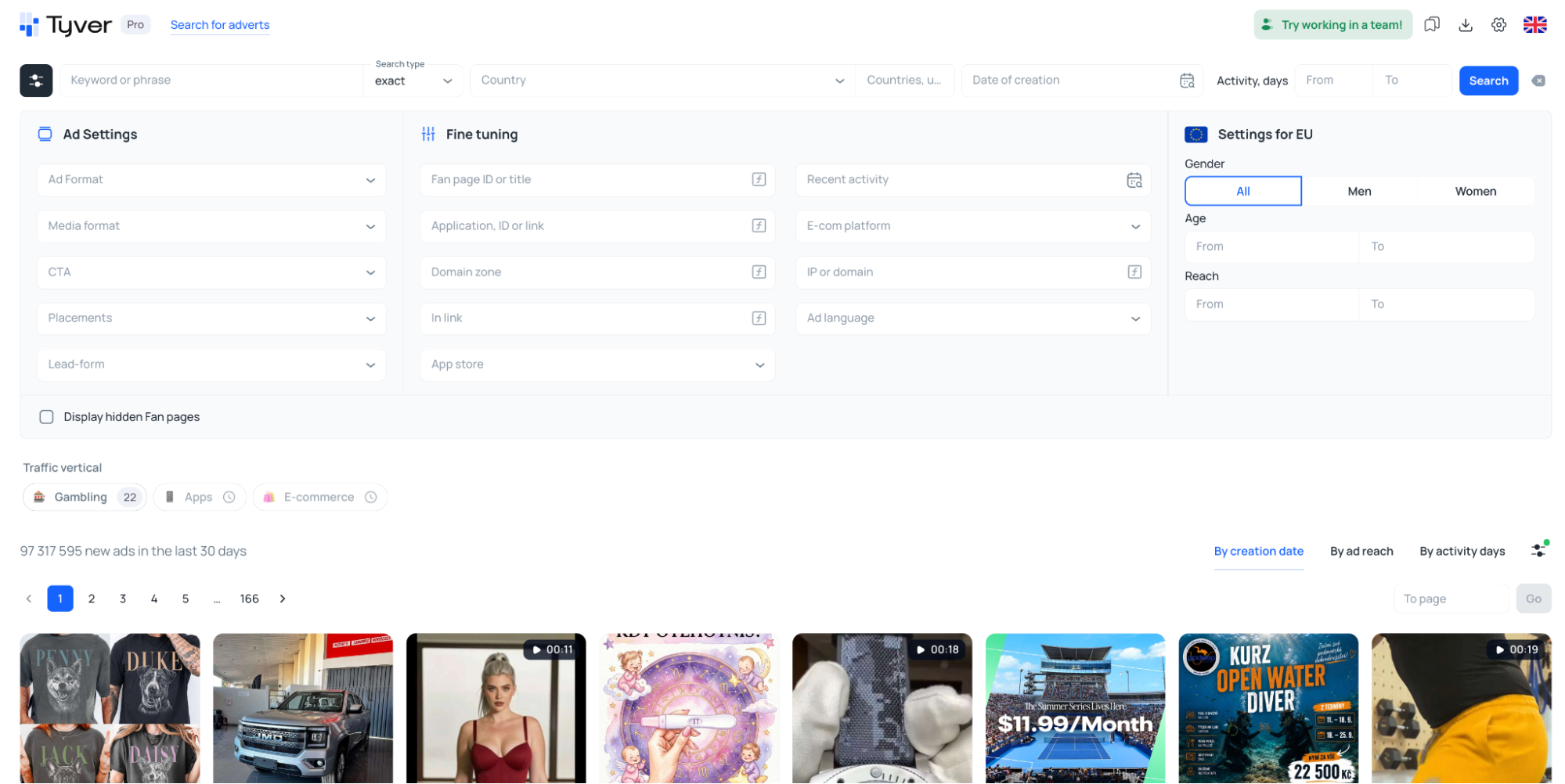
You can configure the feed using basic ad parameters, filters for detailed search, and EU demographic data, narrowing results by gender, age, or creative reach.
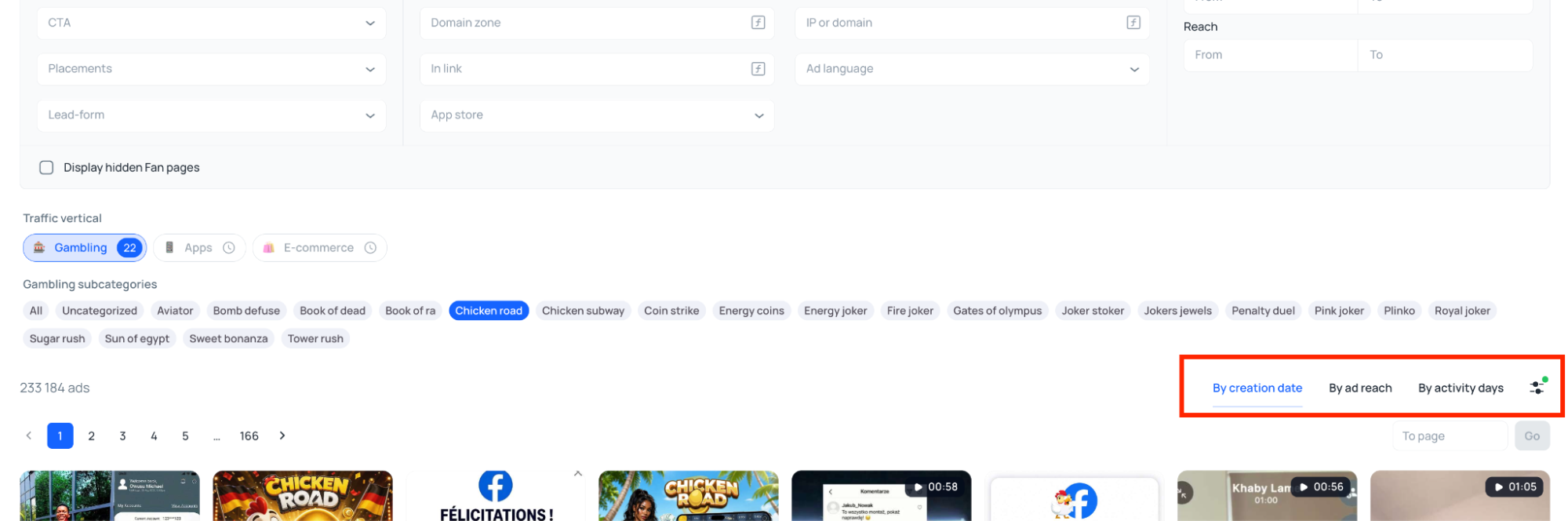
On the same page, ads can be sorted by date added, days active, or number of views.
Clicking on a creative opens its ad card on the right. The post inside looks exactly the way the target audience sees it in the Facebook or Instagram feed.
It shows the Fan Page name, the date the ad launched, and a link to the landing page the traffic goes to.
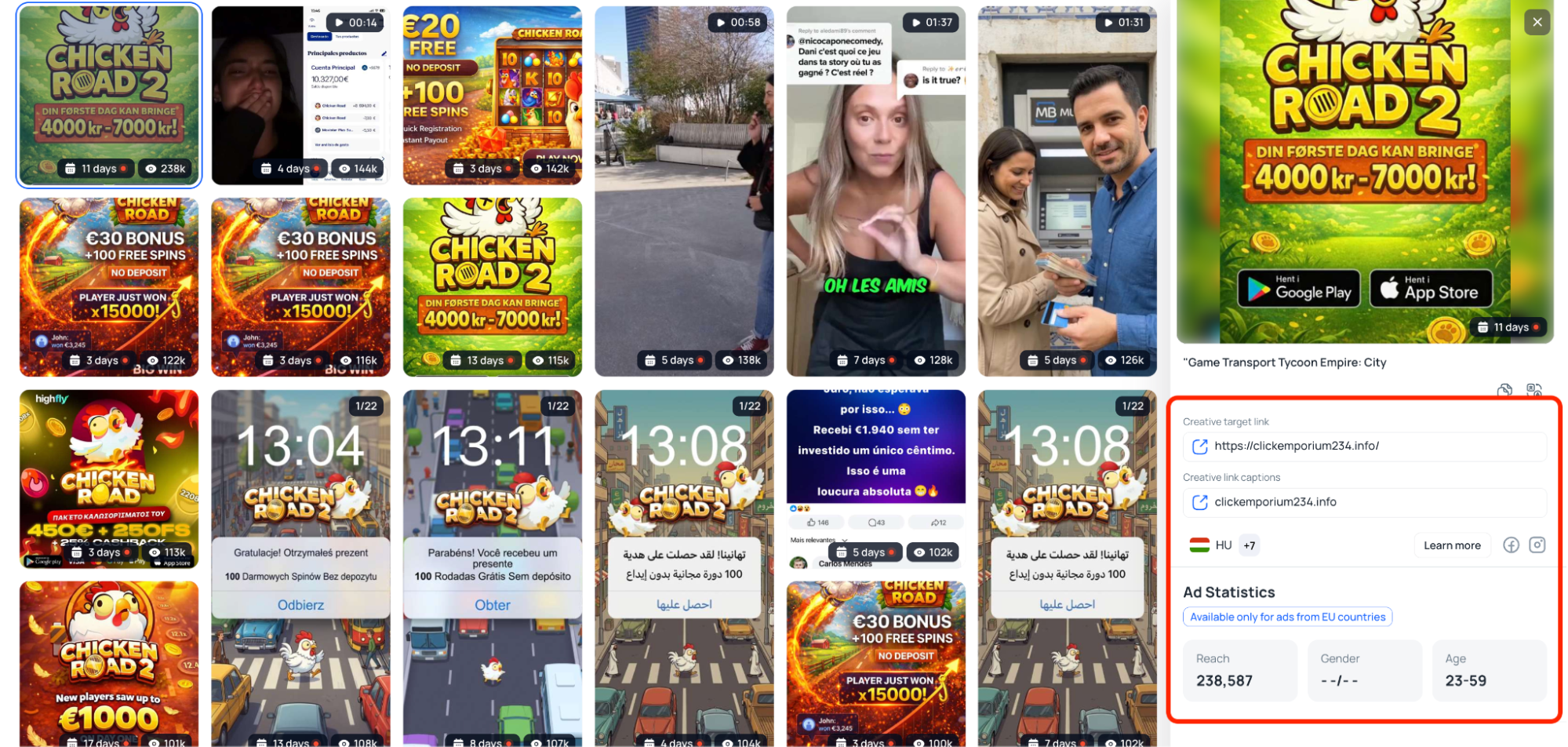
From there you can download the creative, copy the ad text, add it to favorites, or quickly run it through the uniqueness tool.
Database size and update speed
Tyver also lets you search creatives across 140 GEOs and adds more than 3 million new ads to its database every day. The feed itself refreshes every few hours.
This speed means you can still see creatives in Tyver's database even after Facebook's moderation has taken them down. Even if an ad only ran for a couple of hours before getting blocked, it still stays in the feed. That way you can not only find working creatives, but also see clearly just how aggressive an approach moderation is currently letting through in a given niche.
Fast database updates help you grab competitors' fresh creatives first and put them into rotation before they go public. That gives you a head start and helps you avoid burning money testing angles that have already been squeezed dry.
Tools for finding affiliate angles
iGaming section
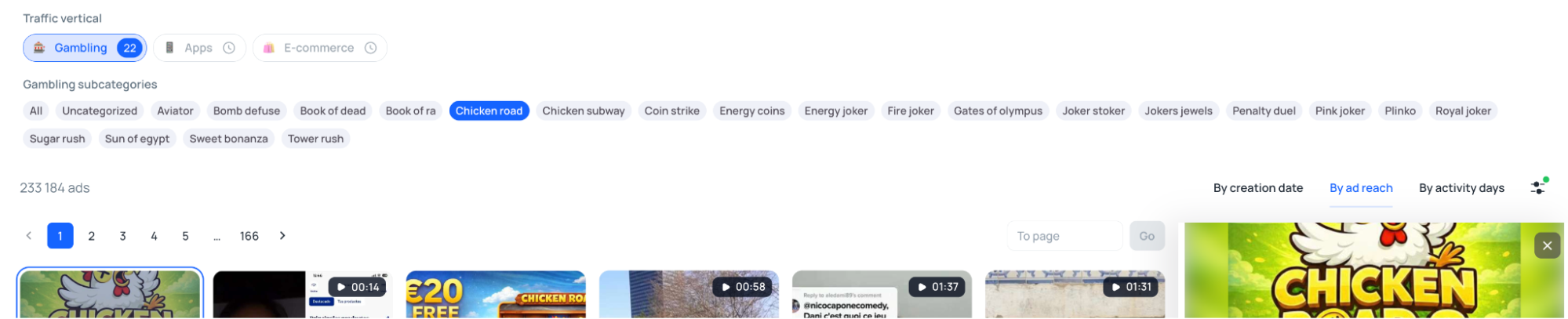
In iGaming, approaches change fast, so manually collecting keywords for every single slot in different languages takes a lot of time. Tyver has streamlined this process as much as possible: popular formats and crash games like Aviator, Plinko, and Gates of Olympus are broken out into their own subcategories.
Just pick the game you need, and the spy tool immediately returns targeted affiliate creatives for the chosen GEO.
Technical filters by links and keywords
If you search for something like nutra or crypto using keywords alone, the results will be cluttered with irrelevant ads from legitimate advertisers. To cut out the noise, the spy tool lets you filter results by URL.
Here's a demonstration of how this filter works. Say we need to find creatives for a joint-pain treatment offer targeting Spain.
First, let's try searching without any additional settings. We'll use the broadest possible keyword, "dolor de articulaciones" (joint pain). This query returns over 7,000 ads, and the affiliate creatives simply get lost among all the regular white-hat advertisers.
To narrow the results, we turn on the "In link" filter and enter the macro "pixel," which shows up often in affiliate campaigns. As a result, we now see only the ads we actually need.
For a more targeted search, there's filtering by specific domain or Fan Page. That way you're not just pulling individual angles from competitors — you can track their entire ad activity as a whole.
Reach and demographics in Tier 1 and Tier 2
The spy tool shows detailed statistics for all Tier-1 countries and some Tier-2 countries. Alongside view counts, the creative card also shows the audience's gender and age.
This lets you immediately understand what targeting settings competitors are using, and apply those same parameters when launching your own campaigns.
App filter
For finding creatives promoting apps, Tyver has a separate filter for Google Play and the App Store. If you have a link to a specific app, just paste it into this filter's field to see which creatives competitors are using to drive traffic to it.
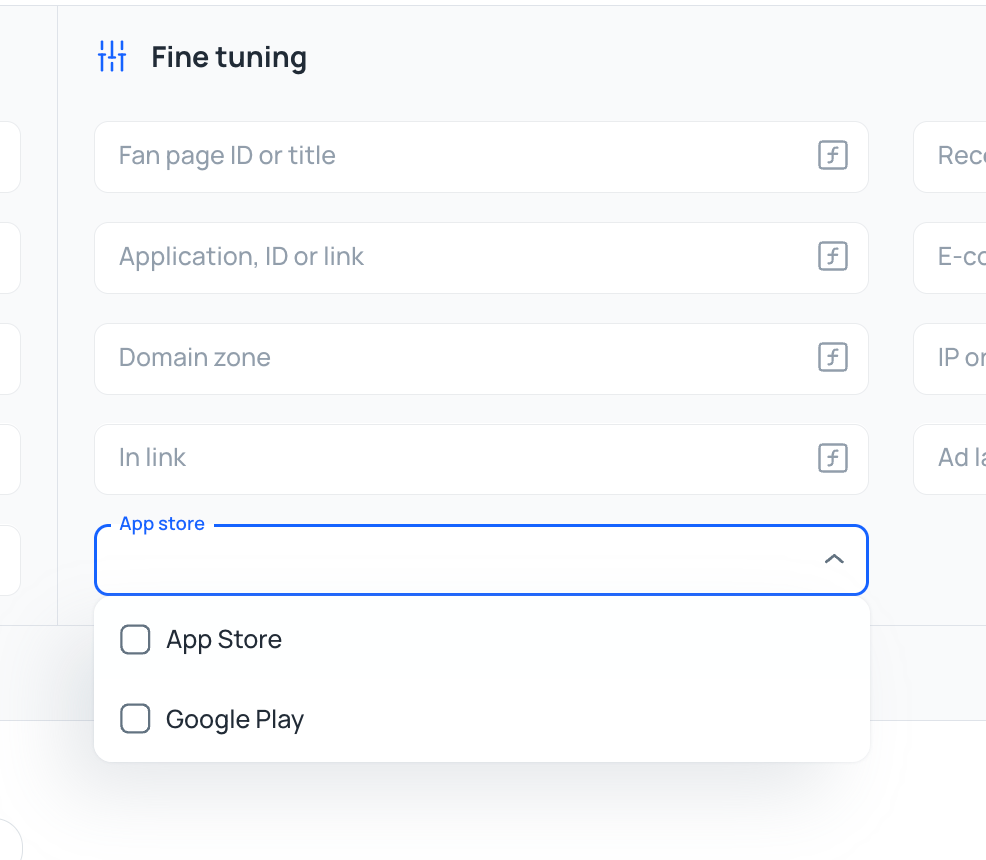
If you need to find funnels for PWAs, a regular app-store search won't work. In that case, enter tracker macros or fragments of links like fbclid into the URL field and select an action button, such as Download or Play Game. This way the spy tool can surface creatives for both formats — app-store apps and PWAs.
Finding competitors' angles by Fan Page, domain, and IP
The creative card has a "Similar ads" section. It shows all creatives linked to the same advertiser.
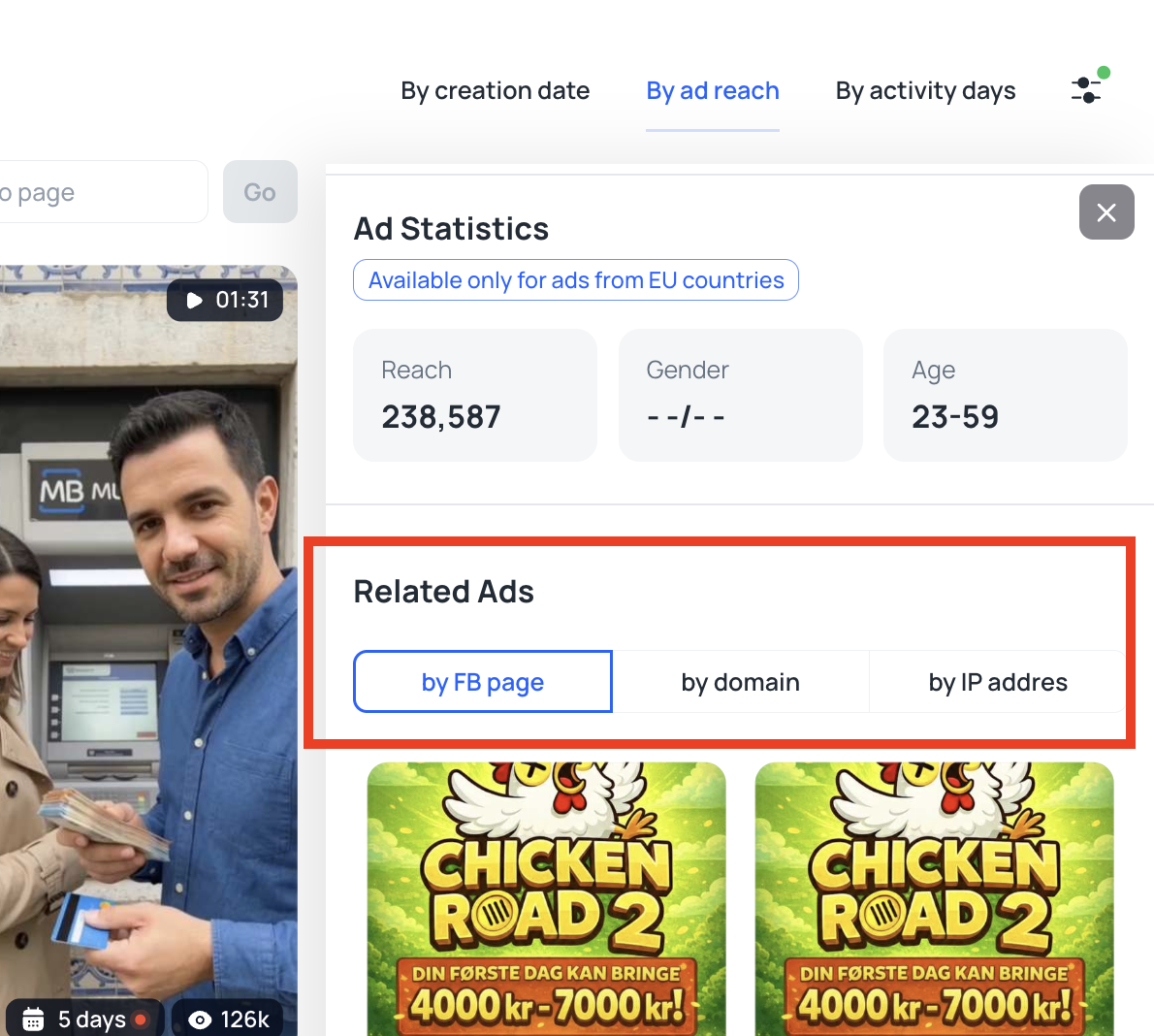
Filtering also works by server IP address. If a team hosts its landing pages on the same server, the spy tool will find all of their sites — even if they use different domains and run campaigns from different accounts.
In iGaming or nutra, this lets you see exactly what approaches competitors are using to drive traffic. You can find all their creatives, pre-landers, and landing pages at once, instead of piecing them together separately from the general feed.
Built-in creative uniqueness tool
Tyver has a built-in tool for making images and videos unique. To open it, go to an ad's card and click the "Media processing" button in the top-left corner of the creative.
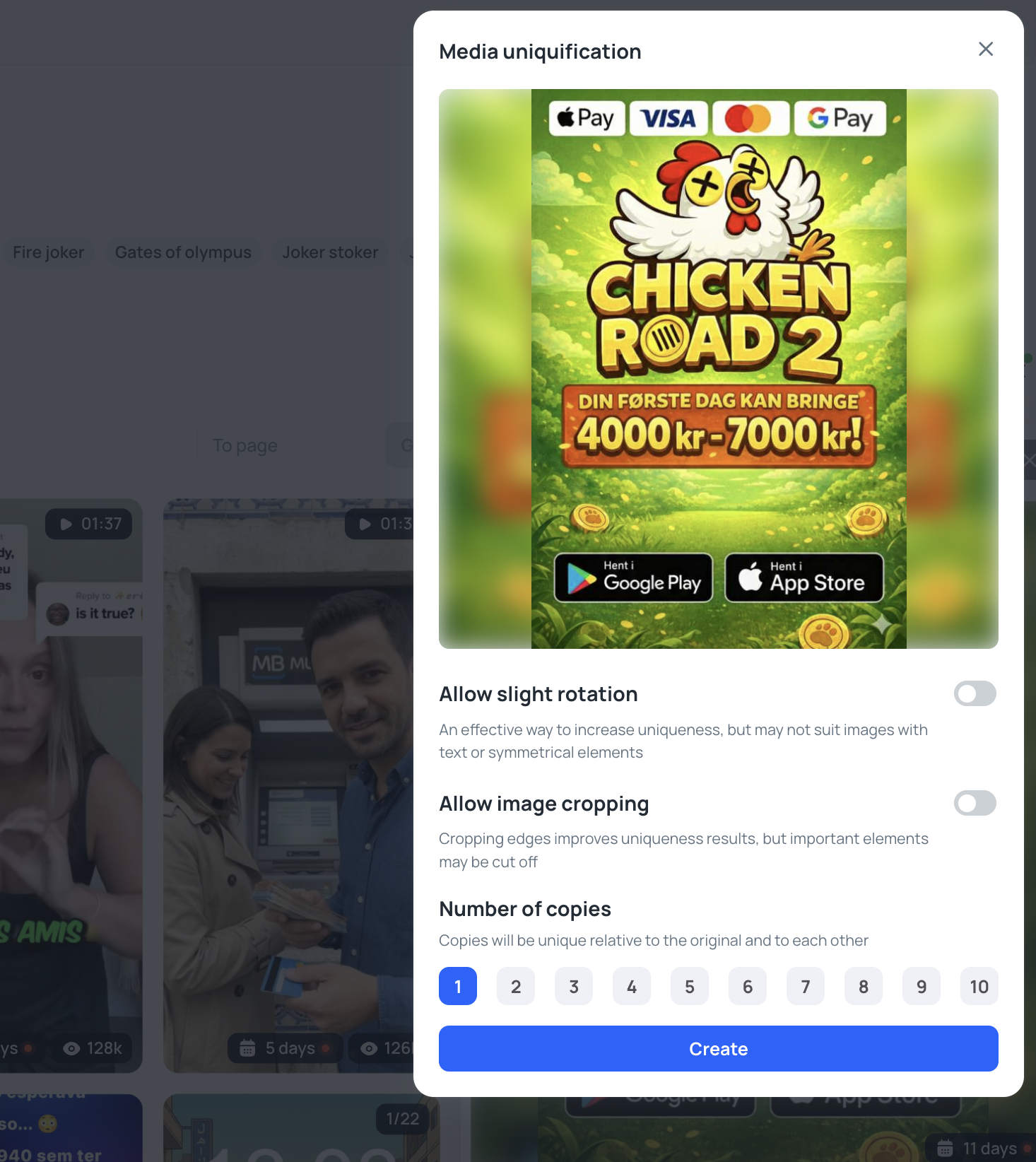
Here you can set several parameters:
- Allow slight rotation. An effective way to make a creative unique, but it may not work well for images with text or similar elements.
- Allow image cropping. Cropping the edges works well, but important parts of the media might get cut off.
- Number of copies. Lets you generate anywhere from 1 to 10 files at once. All copies will be unique both relative to the original and to each other.
Team plan and the ability to share creatives
For teams working together, Tyver offers a "Team" plan. Instead of one shared account for the whole team, each employee gets their own separate profile.
Within it, you can set a daily limit on ad views to control overall usage of the shared quota. At the same time, the team owner can assign roles so that they manage the buyers, while buyers in turn manage the people assigned to them.
To add a team member, click the "Invite users" button.
In the window that opens, enter the person's email, choose their role (three options are available: TeamLead, Admin, and Member), and specify the limit type:
- Soft — once the limit is reached, ad viewing remains available.
- Hard — once the limit is reached, ad viewing is fully blocked.
Then enter the actual view limit in the corresponding field.
Tyver also lets you organize found creatives into separate folders. To do this, click the bookmark icon on the ad card, and in the window that appears, choose the specific folder to send that creative to.
Finished collections are easy to share with colleagues: the page with all saved ads opens via a direct link, even for people who don't have an account with the service.
Tyver pricing plans
Tyver's current pricing plans are as follows:
- Free ($0/month). A way to just log in and get a feel for the interface. This plan gives you the full set of filters but limits access to the ad database and only shows basic information about ads.
- Pro ($79/month). A subscription for solo webmasters. Unlocks full access to the database, shows all ad information without restrictions, lets you save found creatives to favorites, and gives access to the built-in uniqueness tool.
- Team ($119/month). A plan for working within teams. Includes two Pro accounts, with the ability to add users and flexibly configure limits for each buyer.
A 40% discount applies to any plan if you subscribe for a full year upfront.
Conclusion
Tyver is a spy tool for finding and analyzing ads within the Meta ecosystem. The database updates every few hours, so the service manages to capture even ads that moderation bans quickly. This lets you see current approaches right away.
iGaming creatives can be found in a single click: there are dedicated subcategories for specific crash games. Ad cards show reach, gender, and age statistics for Tier-1 and Tier-2 audiences, letting you immediately see and copy targeting settings. There's also a built-in uniqueness tool for quickly processing creatives and launching right away.
For teams, Tyver offers a plan with flexible limit settings for each buyer, while anyone can test the basic features on the free version first.
 Share this post