
Kayzen
Flexible DSP for launching in-app campaigns
Work with in-app advertising through Kayzen: configure buying, control placements, and scale working campaigns.
Verticals that are available for advertising

iGaming

Betting

Crypto

Game

E-commerce

Fintech
* Other verticals available



Benefits of working
with Kayzen through RentAcc
Full access to Kayzen
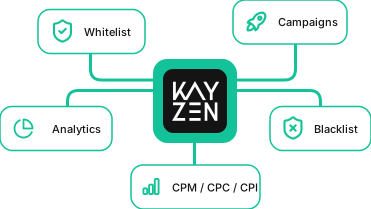
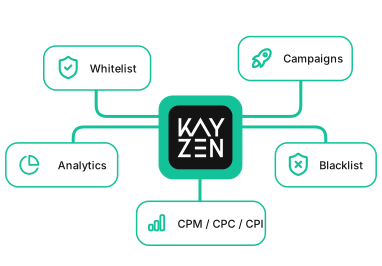
Whitelist and blacklist placement configuration
Optimization by CPM, CPC, CPI
Smart Telegram notifications
Auto-stop campaigns on app ban
Overdraft
Launch advertising on Kayzen through RentAcc
Manage advertising, control spend, and track campaign statuses in a single interface. Whitelist, blacklist, Telegram notifications, and overdraft help make decisions faster and keep launches under control.
Latest Articles



Frequently Asked Questions
What verticals can be run on Kayzen?
Can I run iGaming campaigns on Kayzen?
What is the commission?
What optimization models are available in Kayzen?
Can I choose where my ads are shown?
What do I need to start advertising on Kayzen?
Is an overdraft available?
What happens if the app gets blocked?
Do you help with campaign setup and launch?

Kayzen DSP
Kayzen is a programmatic platform for buying advertising inventory across mobile apps and the mobile web. Built for performance marketing, it gives advertisers direct control over media buying: audience and inventory selection, targeting, whitelists and blacklists, tracking, and campaign performance are managed from a single interface.
With RentAcc, you can connect Kayzen and manage the account alongside other advertising sources from one platform. Balance top-ups, spend tracking, and account management are available in one interface, while team access can be distributed between members.
Platform Capabilities
Kayzen DSP is built around programmatic buying across in-app and mobile inventory. Advertisers participate in auctions and decide where their ads appear and which audiences they reach. Targeting options include GEO, device type, operating system, connection type, app categories, and other parameters.
Placements can be controlled through whitelists and blacklists. A whitelist limits delivery to selected placements, while a blacklist excludes sources you do not want to use. As campaign data accumulates, these lists can be adjusted to keep the inventory that delivers the required performance.
The platform supports both user acquisition and retargeting. Depending on the campaign objective, you can:
- acquire new users for an app;
- re-engage existing audiences;
- exclude users who have already completed a target action;
- send event data through an MMP;
- work with different audience and inventory segments.
For UA campaigns, suppression lists help exclude existing users from ad delivery. Retargeting can be set up around different scenarios, including re-engaging audiences, increasing in-app activity, and driving additional revenue.
Optimization and Analytics
Kayzen supports CPM, CPC, and CPI buying models. The choice depends on whether the campaign is focused on impressions, clicks, or installs. For performance campaigns, accurate post-install data is also important, including registrations, deposits, purchases, or other target events.
The platform integrates with MMPs, including AppsFlyer, Adjust, Tenjin, and JustTrack. These integrations pass install and post-install event data to the advertising system. This way, traffic quality can be evaluated not only by install cost, but also by what users do afterwards.
Before launch, advertisers can estimate potential impression volume and the cost of available inventory. The forecast is based on historical auction data and provides a benchmark for the scale of available traffic. Actual performance will depend on bids, targeting, selected placements, and auction competition. The forecast is therefore better used for budget planning, while scaling decisions should be based on actual campaign data.
Ad Formats
The platform supports static images, video, native, and HTML creatives, including playable ads. The exact formats available and creative requirements may also depend on the advertising network through which the inventory is purchased.
Before launch, check both the technical specifications and content restrictions for your creatives. This is particularly important for verticals where digital advertising requirements vary by GEO and placement. For testing, it is better to prepare several creative variations and compare their performance across the same audience.
Who Is the Platform For?
The platform is suitable for media buyers, agencies, brands, and in-house user acquisition teams that need control over mobile traffic acquisition and inventory.
Detailed targeting options make it possible to go beyond broad audience campaigns. Teams can define their own buying parameters, select app categories, and gradually build lists of high-performing placements based on accumulated campaign data.
How to Connect Kayzen Through RentAcc
You can connect an advertising account through RentAcc. Account management, balance top-ups, and spend tracking across advertising sources are available in one interface. If several people work with advertising accounts, access can be distributed between team members.
Before launch, prepare your creatives and project details. For app campaigns, it is also worth configuring the MMP in advance and checking that all required events are passed correctly. If additional requirements apply to the selected vertical or GEO, launch eligibility should be confirmed before setting up the campaign.
To connect an account and start working with the traffic source, submit a request through RentAcc. Connection terms and commission rates are calculated based on ad spend and project parameters.