

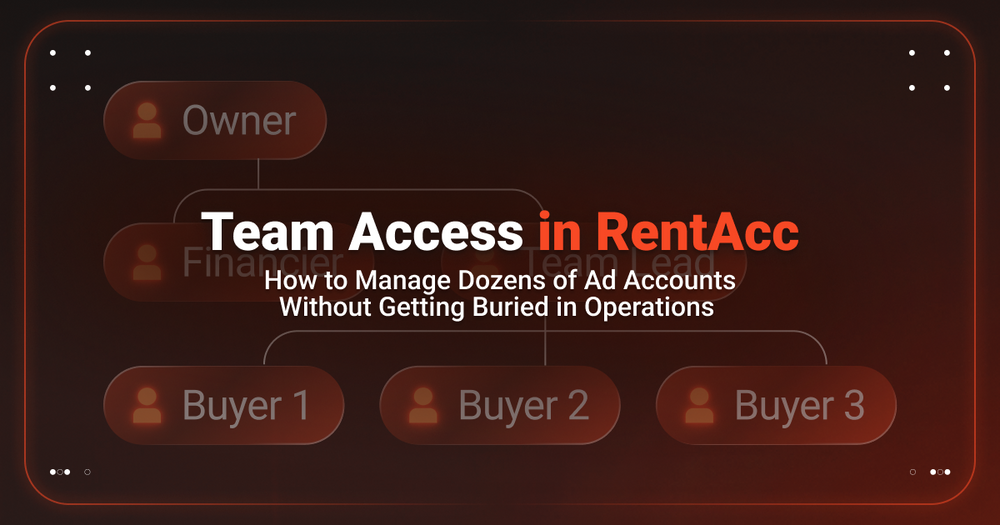
When several media buyers, a team lead and a finance specialist are involved in advertising, managing accounts can quickly become a task of its own. A shared login makes it difficult to assign responsibility properly, while multiple workspaces make oversight more complicated.
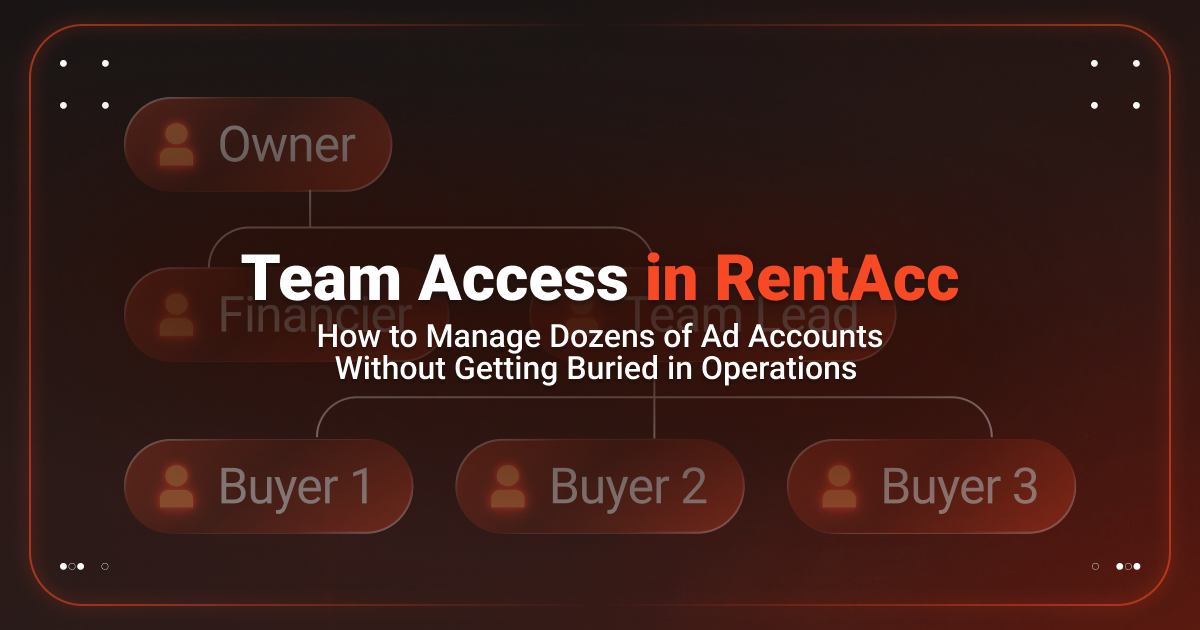
RentAcc now offers Team Access. The entire team can work in one workspace, with each member assigned their own role, set of permissions and access only to the ad platforms they need for their work.
One Workspace for the Entire Team
The workspace brings accounts, finances and team members together. The Owner creates the workspace, invites employees, assigns roles and determines which ad platforms each member can access. This simplifies account management and eliminates the need to share logins in chats.
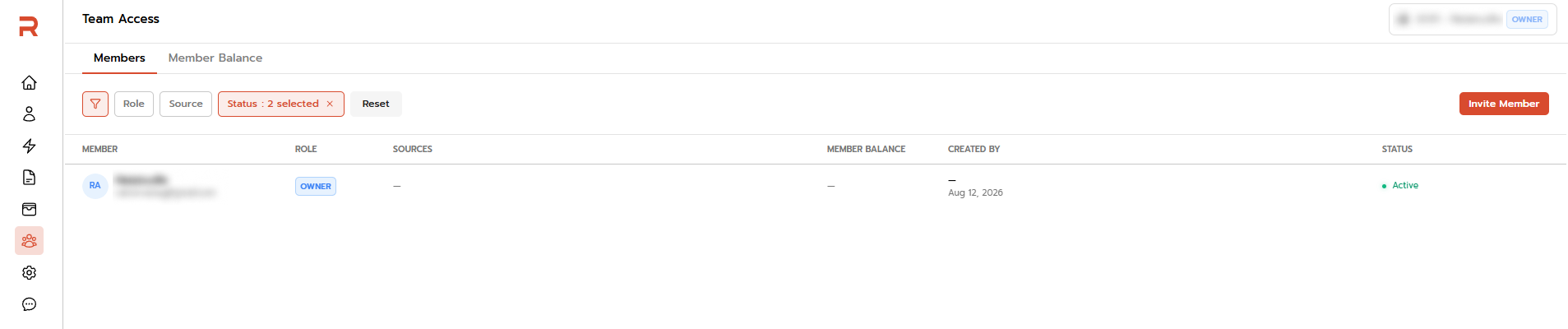
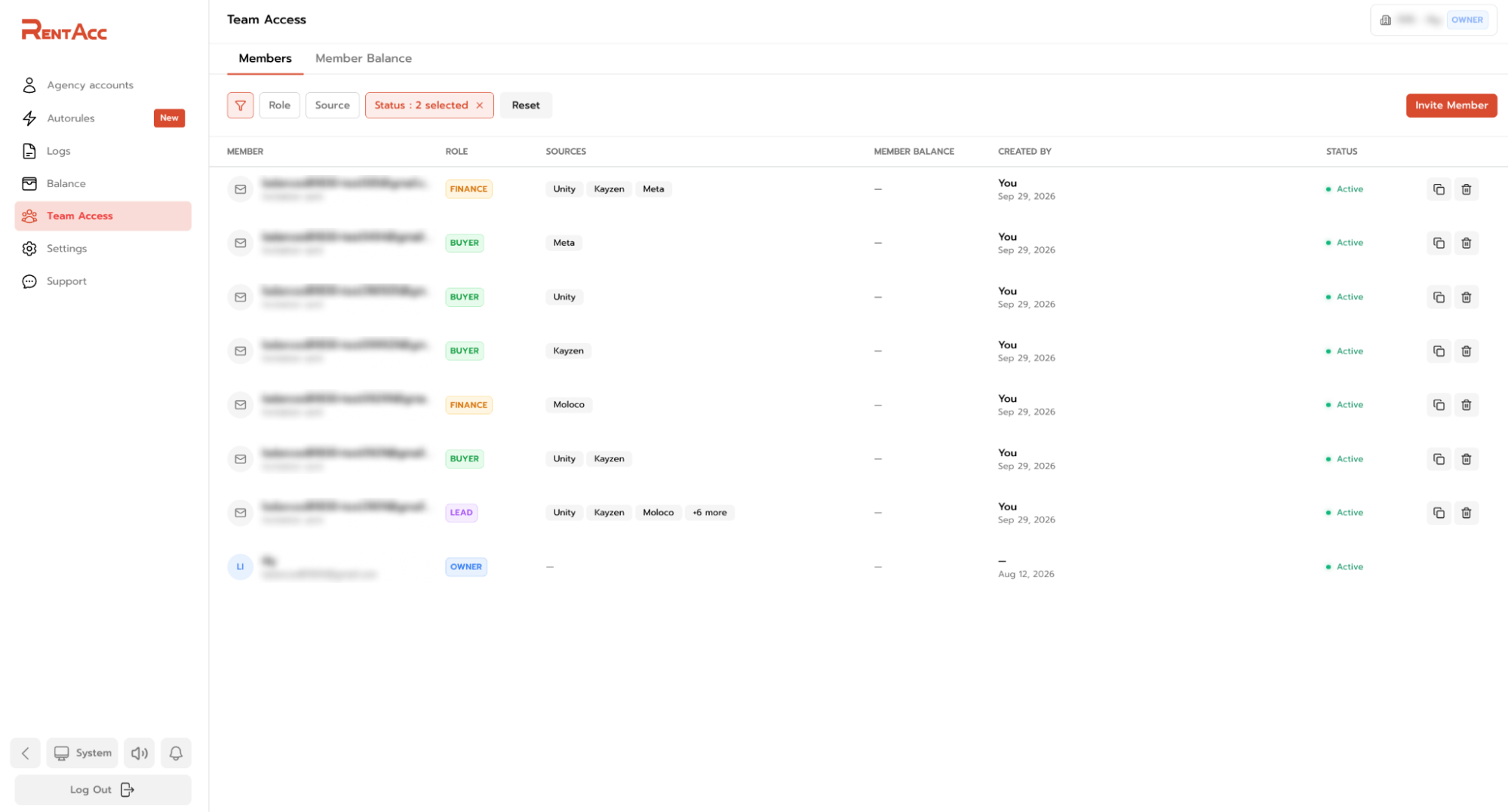
The Team Access → Members section displays all team members.
Here, you can see each user's role, available ad platforms, balance, current status and who added the member. Access doesn't have to extend to the entire workspace.
For example, one media buyer can work exclusively with FB, another with Unity and Moloco, while the Team Lead oversees several selected platforms. This keeps the team in one system without unnecessarily overlapping areas of responsibility.
Roles and Access Levels
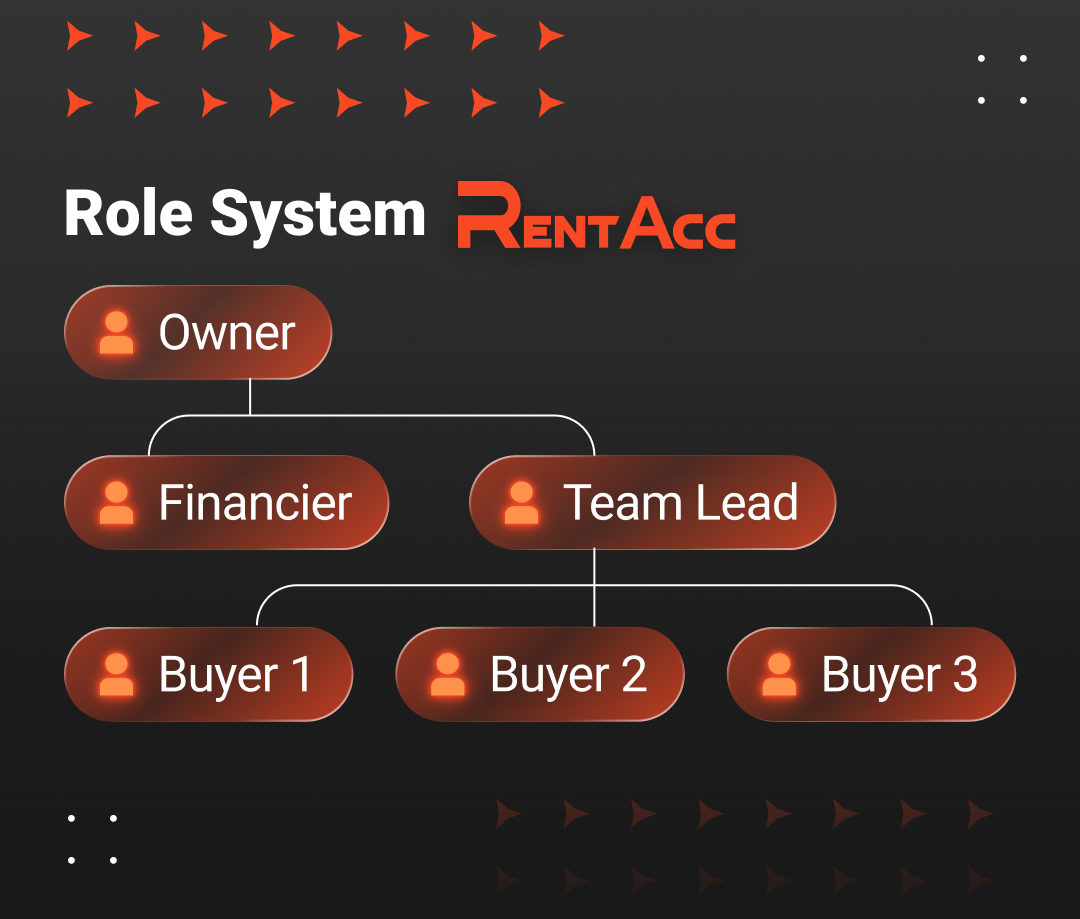
RentAcc offers four roles:
- Owner has full control over accounts, the team and finances.
- Team Lead manages accounts and tops up the balance.
- Buyer works with their own accounts and cannot see other team members' accounts.
- Finance can access the finance section but cannot manage advertising campaigns.
This setup works well for teams and agencies that need a shared workspace for running traffic. Permissions are assigned in advance, so everyone knows which data they can access.
How to Add a New Member to Your Workspace
Adding team members to RentAcc takes just a few clicks. Simply enter your workspace, open the Team section, invite the required members and assign each person the appropriate role and access to ad platforms. Let's take a closer look at the process.
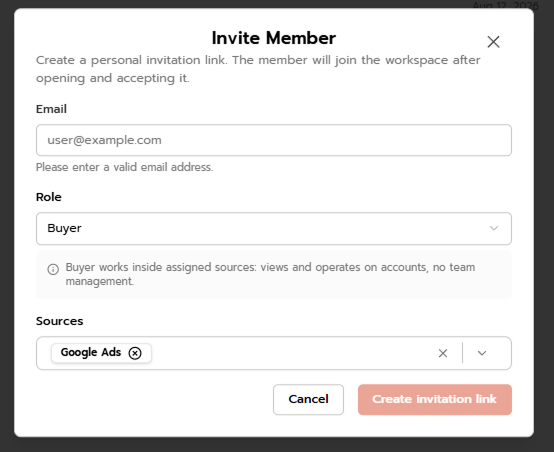
The Owner adds new members via Team Access → Members.
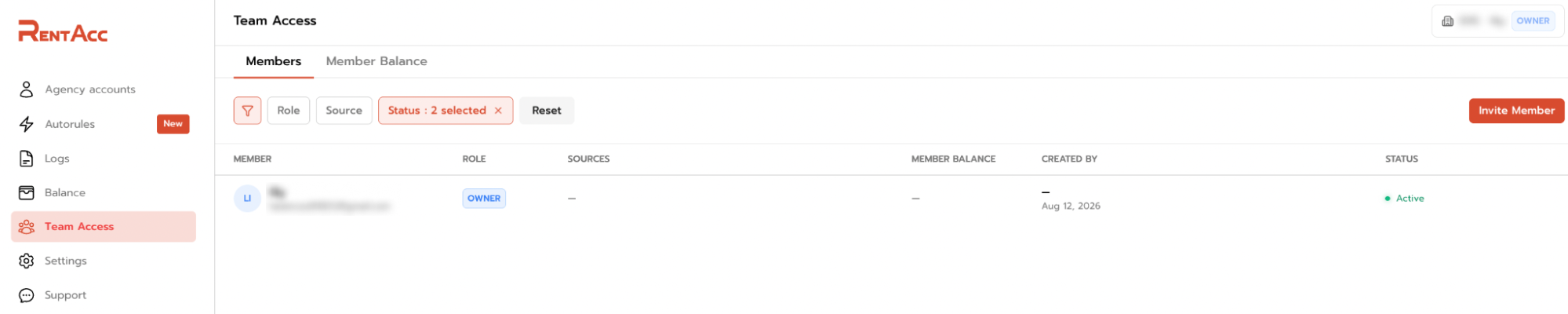
Clicking Invite Member opens the invitation form. Enter the user's email address, select a role (Lead, Buyer, or Finance), and specify which ad platforms they will be able to access.
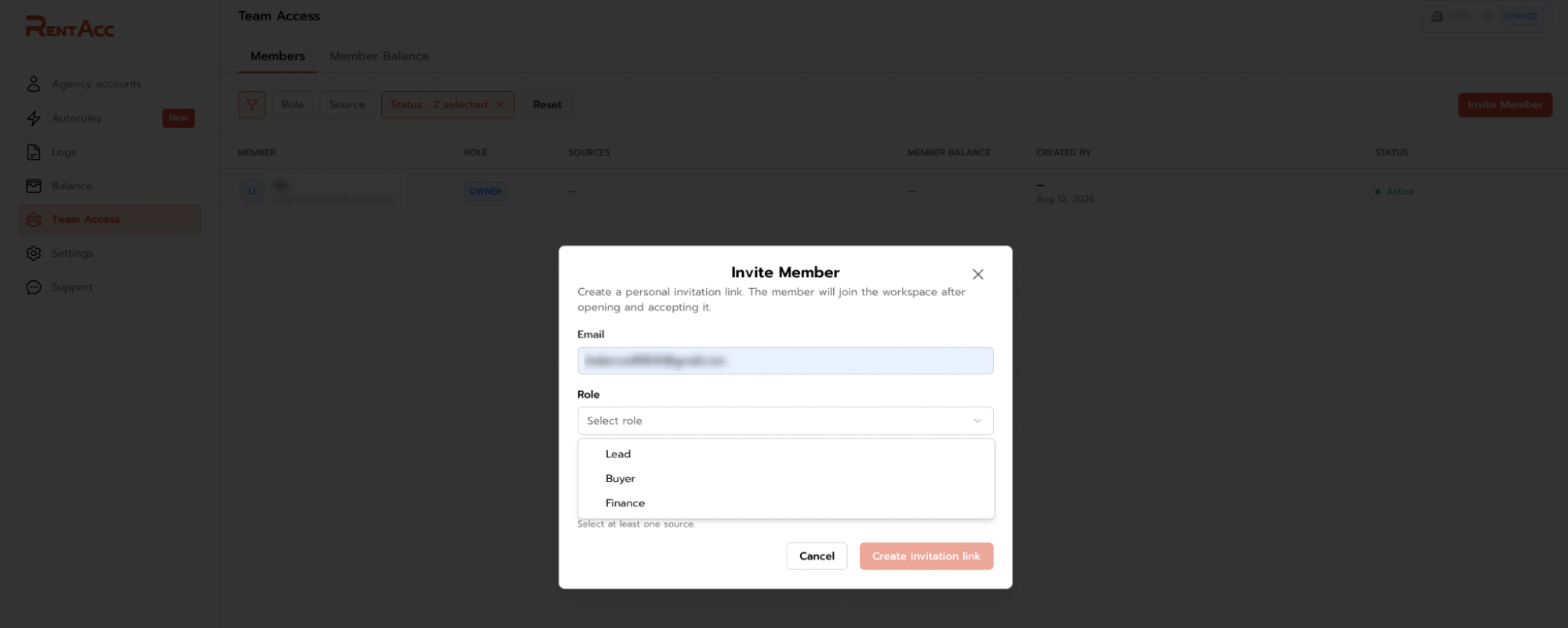
You can grant access to a single platform or several at once, including Unity, Kayzen, Moloco, Meta, BIGO Ads and other platforms available through RentAcc. This way, each employee gets access only to the tools they need and cannot see other data in the workspace.
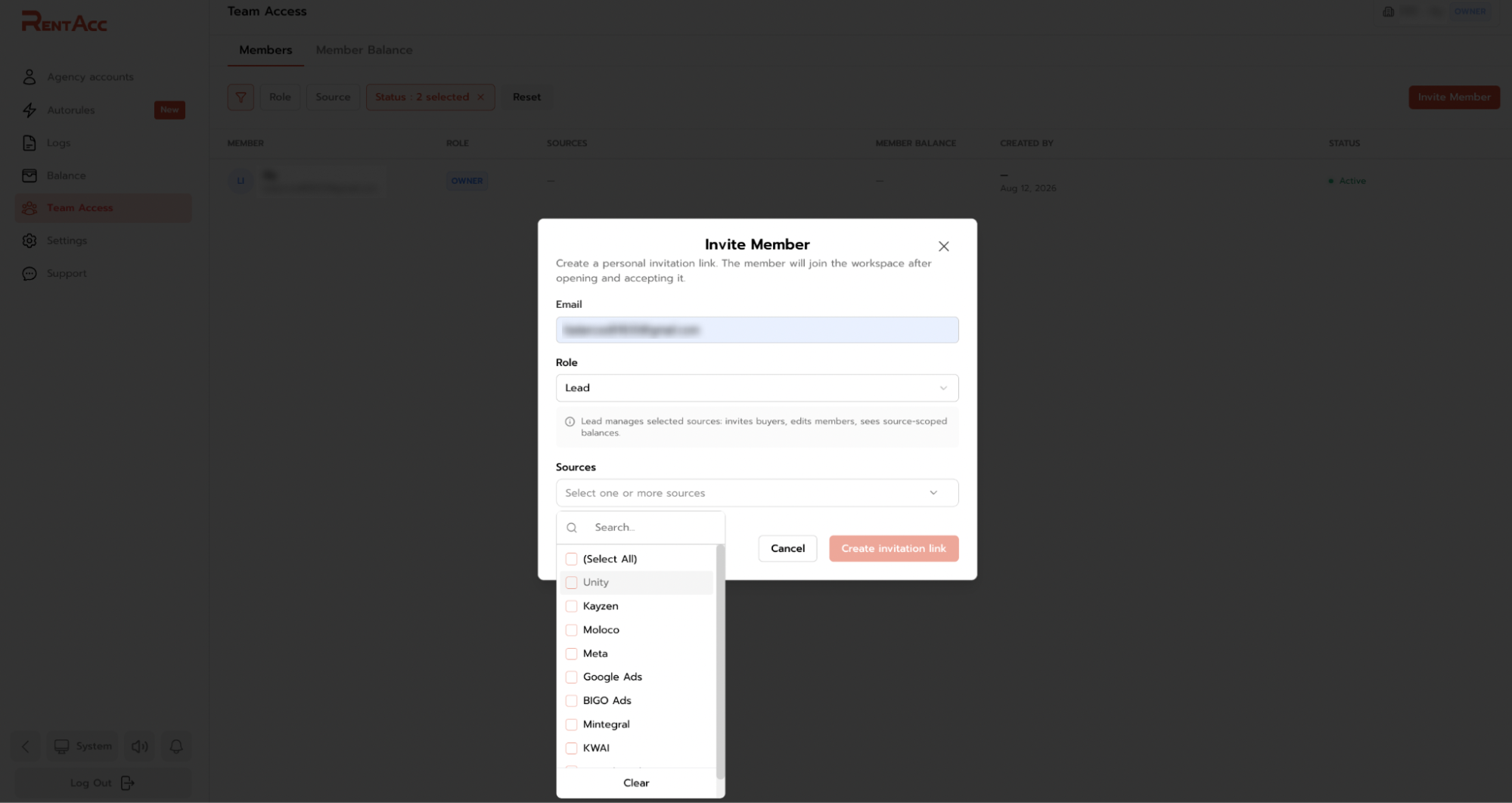
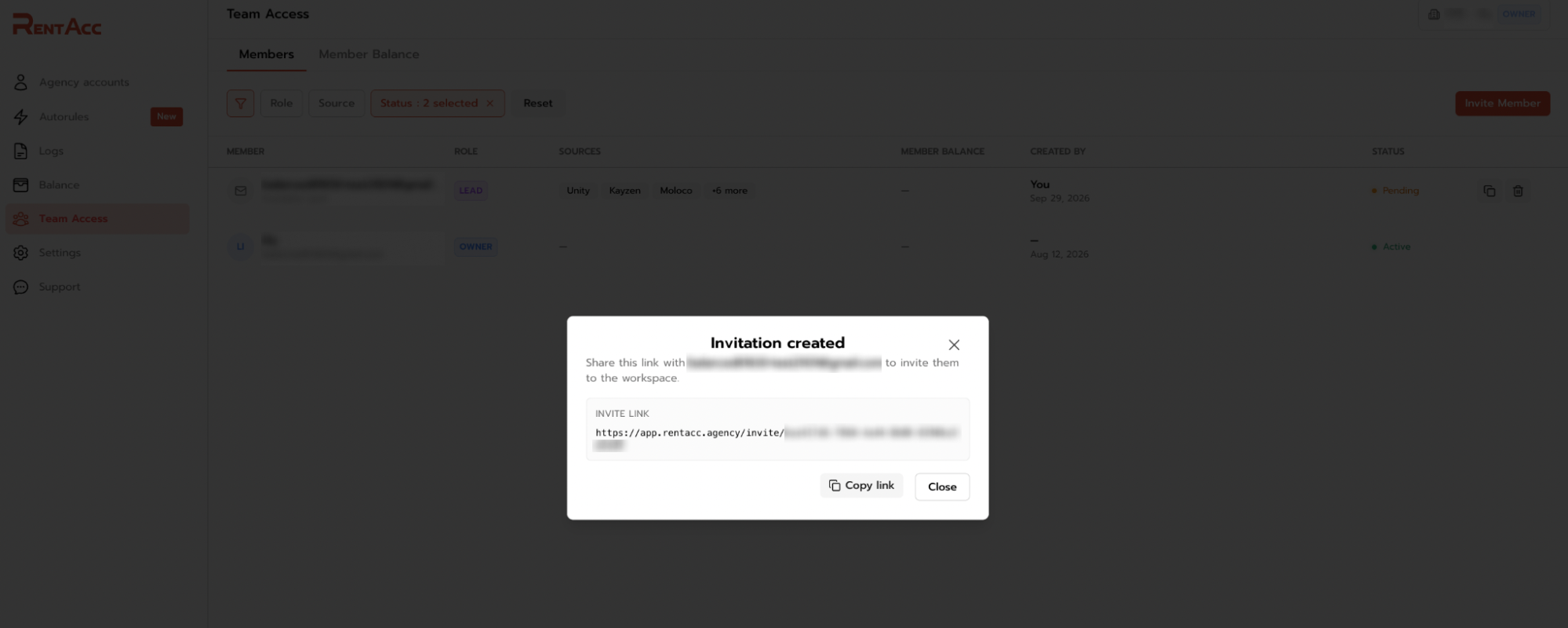
Once the form is completed, RentAcc generates a personal invitation link. Copy the link and send it to the employee.
Until the invitation is accepted, the user appears in Team Access with a Pending status. The list shows their assigned role and the platforms they can access.
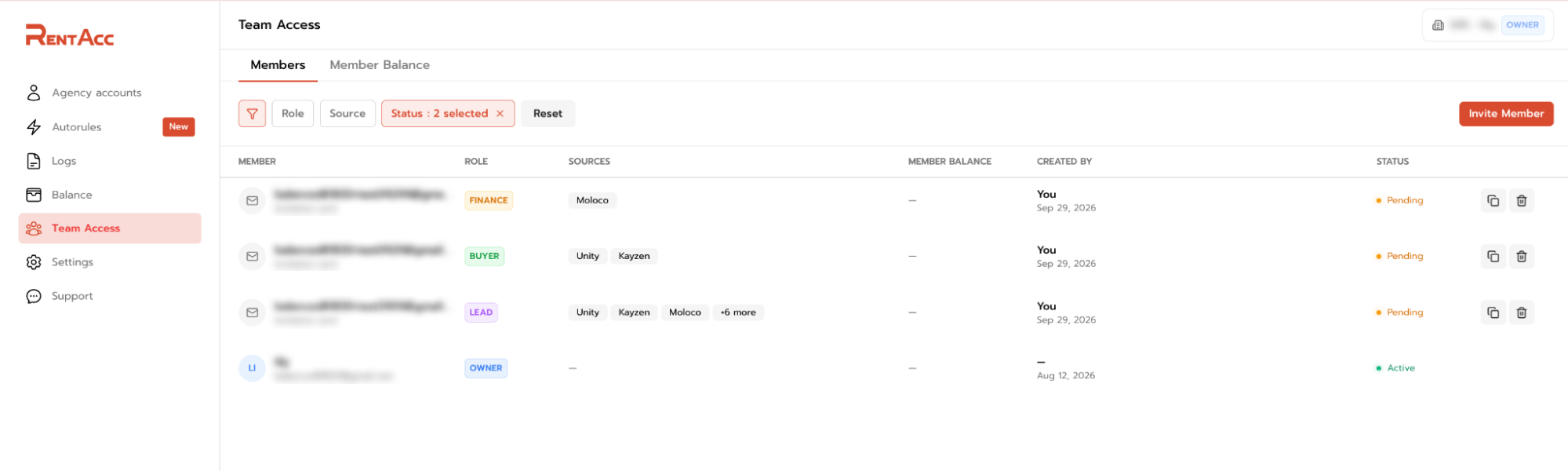
Once the user follows the link and accepts the invitation, their status changes to Active. They then become a full team member and can work within the permissions they've been granted.
How to Set Up Account Access for a Buyer
Once a buyer has accepted the invitation and joined the workspace, they need to be assigned accounts. There are two options, and you can use them together.
Option A. Reissue an Existing Account to the Buyer
This option is suitable if the account is already in your workspace.
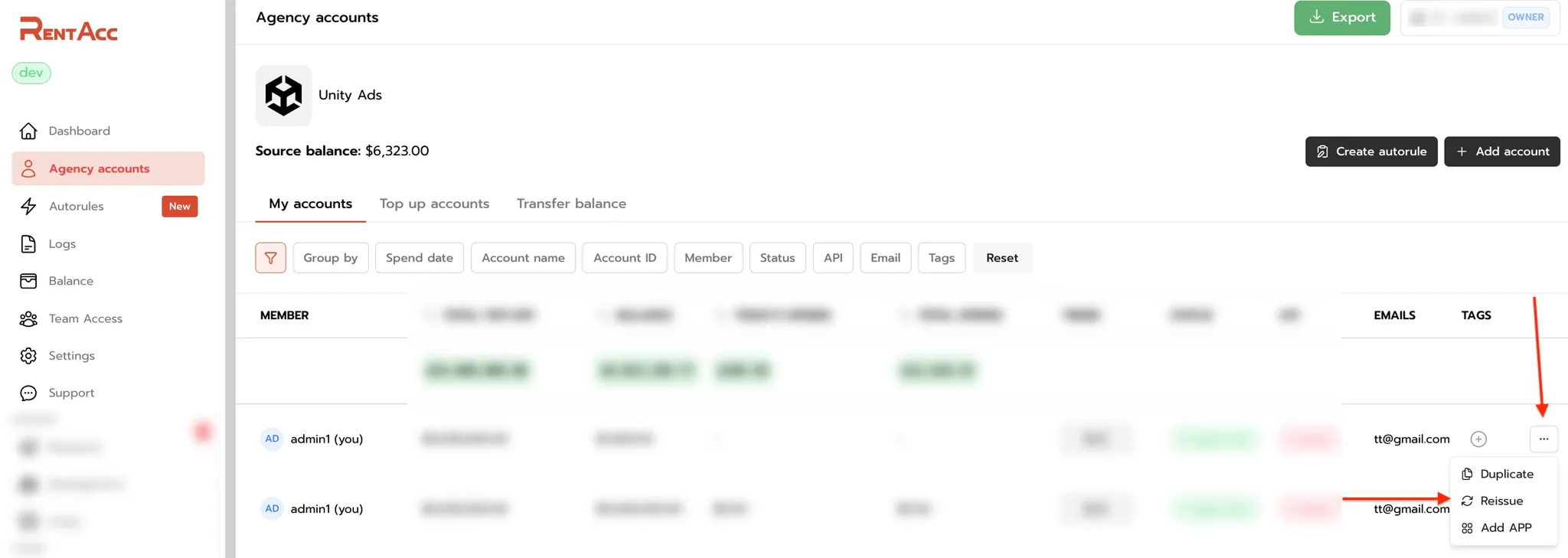
- Open the page for the required ad platform, for example, Unity.
- In the account row, click the three dots in the far-right column.
- Select Reissue (reassign the account to another team member) and choose the buyer.

ℹ️ An account can only be reassigned after the buyer has accepted the invitation and joined the workspace. After the account is reassigned, they need to refresh the page.
Option B. The Buyer Requests Accounts Themselves
In this case, the team doesn't assign accounts manually: the buyer creates them independently, while the Owner or Team Lead sets a limit for them. The limit is configured under the Member Balance tab.
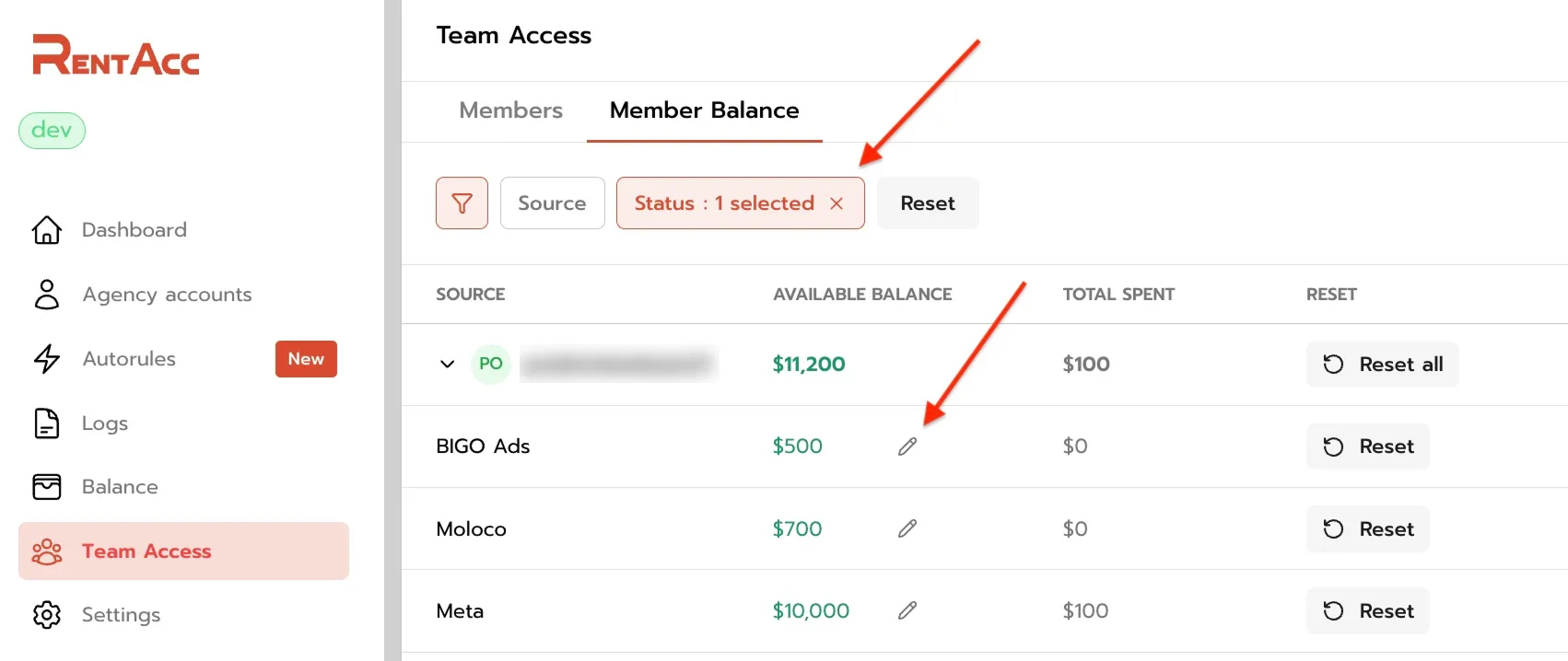
Buyer Limit is an additional limit for the buyer on top of the ad platform's actual balance (Source Balance). The amount available to the buyer is calculated as follows:
Available to the buyer = MIN (Source Balance, Buyer Limit)
In simple terms, the buyer can never spend more than the actual balance available on the ad platform. For example, if the Source Balance is $3,000 and the Buyer Limit is set to $1,000, the buyer has $1,000 available. If the limit is $5,000, the full $3,000 is available.
ℹ️ Don't need to restrict the buyer's spending? Set a sufficiently high Buyer Limit, such as $500,000. This ensures the buyer always has access to the full Source Balance.
If you have several buyers, you can set individual limits for each of them. This helps the team keep spending under control without having to approve every top-up manually.
Telegram Notifications Tailored to Your Team's Needs
In RentAcc, each team member can configure notifications to suit their workflow. Instead of receiving a shared stream of events, each employee can get only the information relevant to their work. For example:
- Media buyers receive notifications about their own accounts;
- Finance specialists track balances and payments;
- Team Leads see events related to the team.
This way, employees get the information they need without unnecessary noise. There's no need to keep checking account statuses manually: important events are delivered via Telegram, while data permissions and access rights remain separate.
How to Set Up Telegram Notifications
You can find the settings under Settings → Telegram Notifications. Here, you can view existing bindings or create a new one by clicking Create Binding.
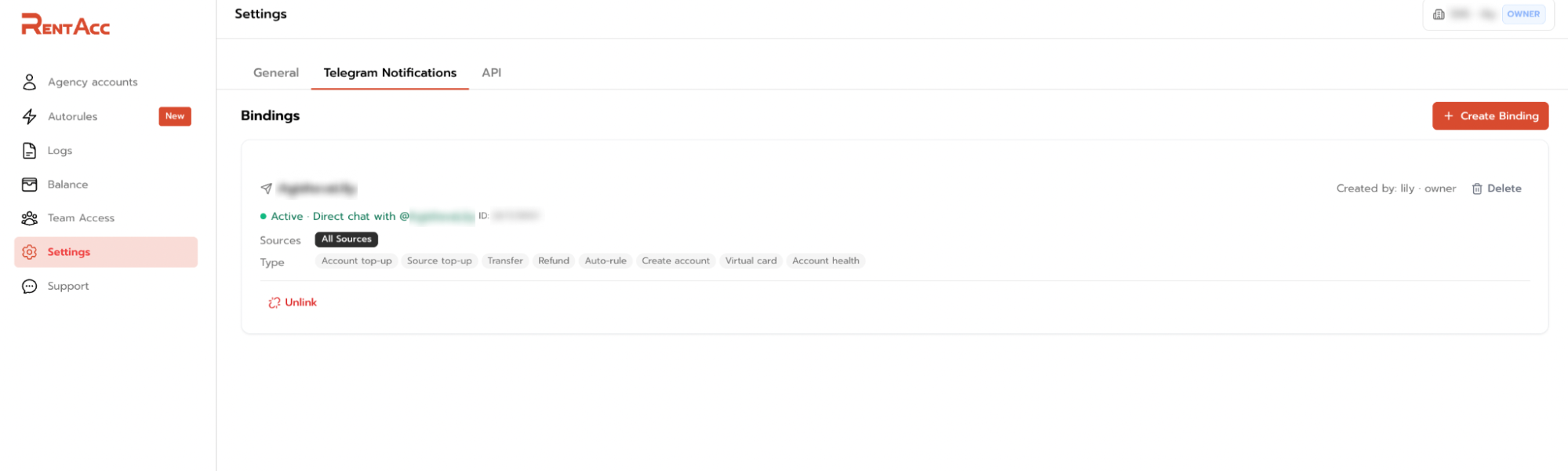
For each binding, you can set a name and select the required ad platforms and event types. For example, you can receive notifications from all platforms or limit them to FB, Unity, Kayzen, Moloco, BIGO Ads, and other connected platforms.
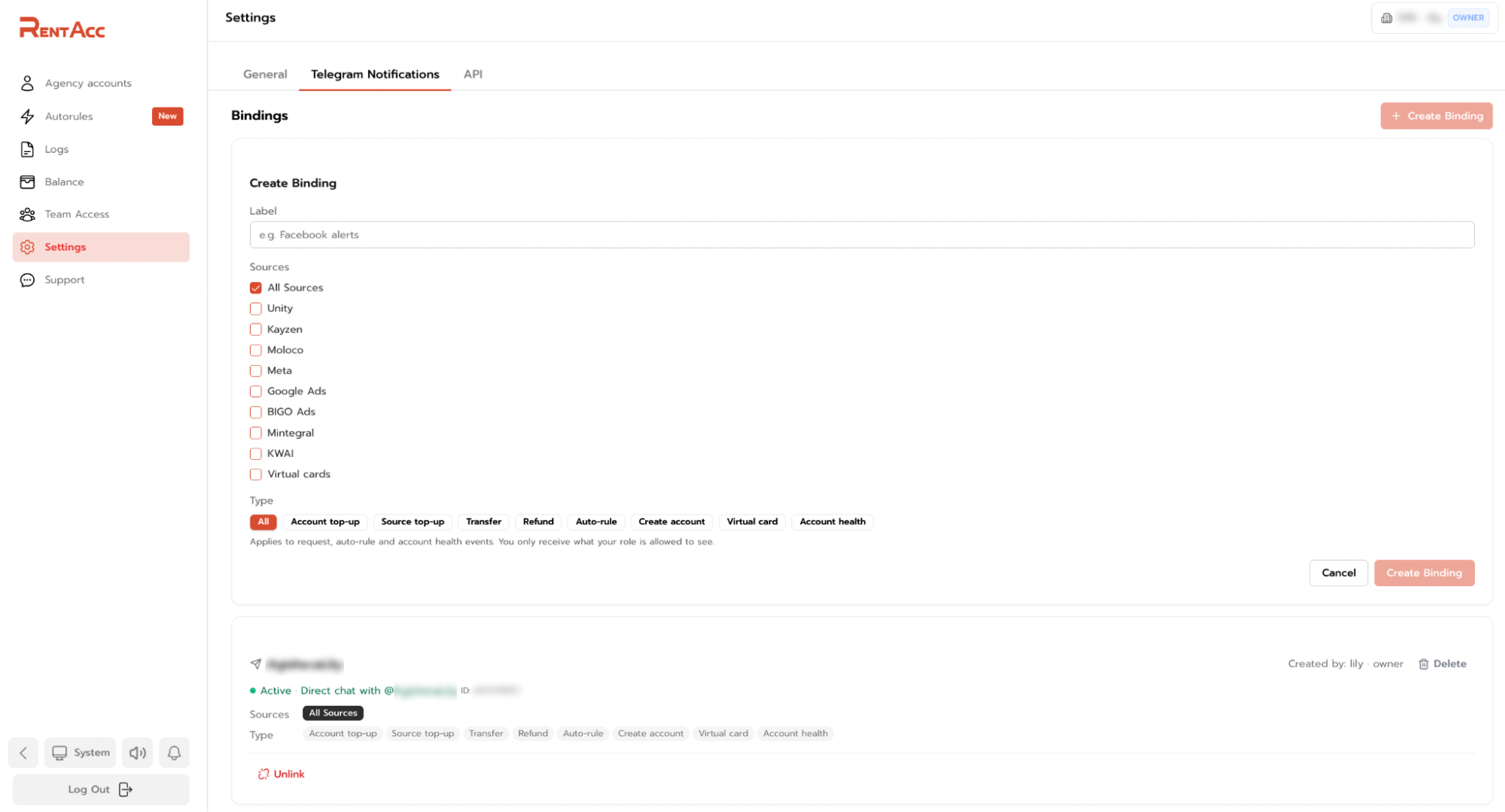
You can also choose exactly which events you want to receive in Telegram:
- Account and ad platform top-ups;
- Transfers and refunds;
- AutoRules triggers;
- Account creation and status changes;
- Other available event types.
Once you connect your Telegram account or the required chat, notifications start arriving automatically.
If needed, you can create multiple bindings with different settings. For example, use one chat for financial transactions, another for a specific ad platform, and a third for account-related events.
How It Changes Your Workflow
Working with advertising accounts as a team shouldn't mean constantly sharing logins, spreadsheets and messages in work chats. When several media buyers, a Team Lead, and a finance specialist are involved, it's important not only to give everyone access to the data they need but also to maintain a clear division of responsibilities. The manager oversees spending and employee permissions, while media buyers work with their own accounts without viewing their colleagues' accounts. Finance specialists can also access the financial data they need without entering advertising campaigns.
New members join through their own accounts, receive the required permissions and work within the limits of their assigned roles. This is especially useful for agencies running multiple advertising campaigns and using rented accounts to launch them.
Conclusion
Team Access brings everyone together in one workspace. Each employee gets their own role, access to specific ad platforms, and only the data they need for their work. Combined with personalized Telegram notifications, this helps create a more transparent and manageable workflow, from account management to financial oversight and real-time event monitoring.
Team Access is just one of the RentAcc features designed to simplify day-to-day advertising operations. Automated top-ups, AutoRules, notifications and monitoring tools let the platform handle routine tasks, leaving the team more time to launch, test and scale campaigns.
Get started with RentAcc and make the most of its infrastructure: bring your team into one workspace, assign permissions based on each member's responsibilities, and automate processes that shouldn't take up media buyers' time.
 Share this post