

Moloco is a DSP platform where machine learning plays the key role. Algorithms analyze large volumes of data and automatically optimize traffic buying. However, for these algorithms to work correctly, the system needs high-quality input data.
When running ads in Moloco, it’s important to understand which stage your campaign is currently in. Campaign statuses show whether it’s ready to launch, still preparing, or already running. Even a small mistake during app setup or postback integration can cause a campaign to stay stuck in Preparing for a long time.
In this guide from the expert team at RentAcc, we’ll break down the main campaign statuses and what they mean.
1. Submitted (Preparing)
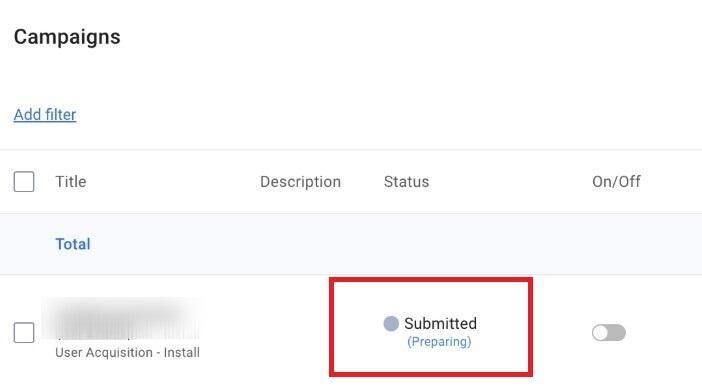
A campaign receives this status immediately after it is created and configured. At this stage, the system begins collecting and analyzing the data required for proper operation. The algorithms check campaign parameters, integrations, and events to prepare the machine learning optimization model.
While a campaign is in Preparing status, it cannot be launched yet because the system hasn’t finished the preparation process.
The duration of this stage may depend on several factors:
- correct setup of the MMP (for example, AppsFlyer, Adjust, etc.);
- the presence and validity of in-app events.
If an error occurs at any of these steps, the campaign may remain in Preparing much longer than usual. How to fix this situation is discussed in a separate article.
Before launching an advertising campaign in Moloco, the system also goes through a pre-training phase. During this stage, the algorithms analyze historical data: postbacks, audience characteristics, in-app events, and other signals. Based on this information, the system builds a model that learns even before the campaign starts how to identify users with the highest probability of conversion.
This is one of the key differences between Moloco and many traditional ad networks. In most classic traffic sources, optimization starts after the campaign launch when the system gradually collects statistics. In Moloco, a significant part of the learning happens in advance, during the preparation stage.
2. Ready
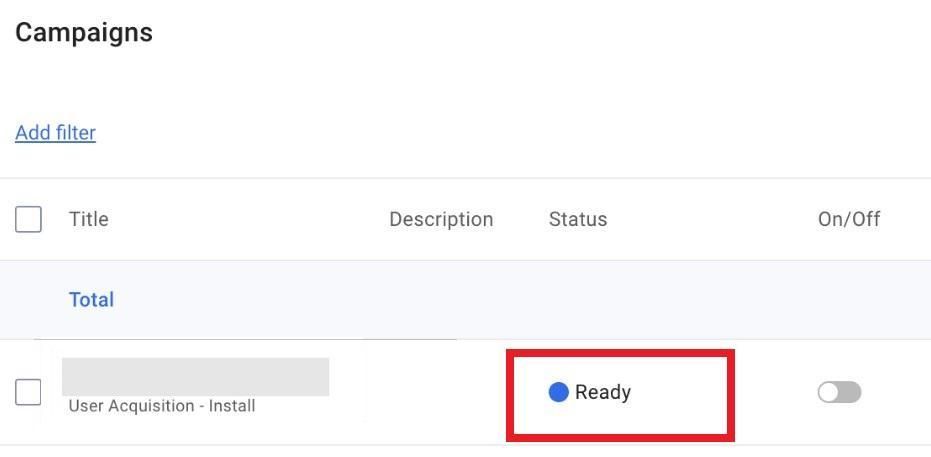
Once the optimization model is fully prepared, the campaign receives the Ready status. This means that everything is configured correctly from a technical standpoint, and the system is ready to start delivering ads. However, the campaign itself is not running yet — the campaign toggle remains turned off.
To activate the campaign, simply switch the toggle to On in the dashboard.
3. Scheduled
The Scheduled status appears when:
- the optimization model has already been prepared;
- the campaign toggle is turned On;
- the campaign start date is set in the future.
In this case, the system is simply waiting for the scheduled start time. Once the start date arrives, the campaign status will automatically change to Active.
4. Active
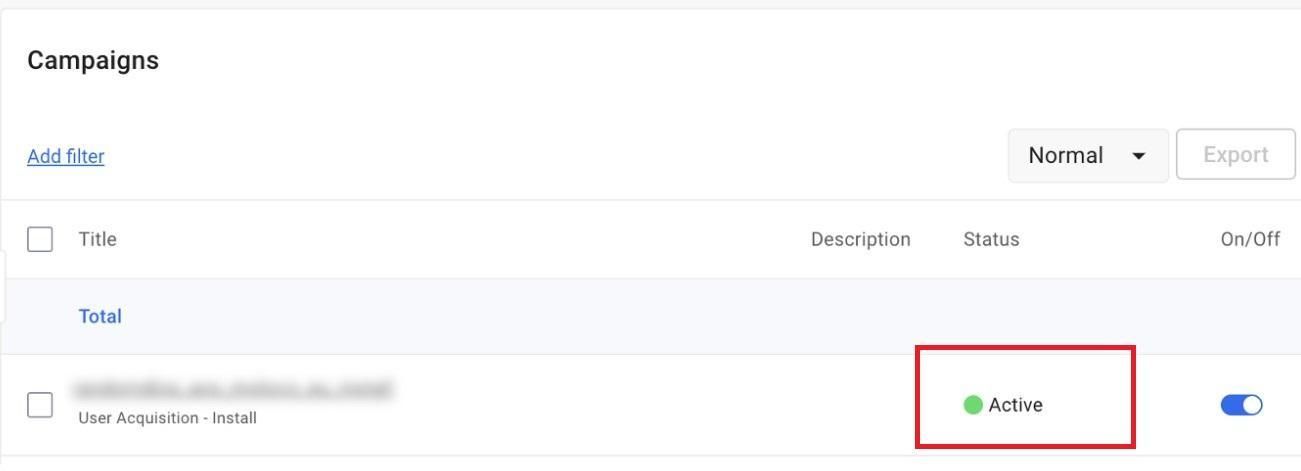
The Active status means that the campaign is live and already receiving traffic.
A campaign becomes active if:
- the optimization model is ready;
- the campaign toggle is switched On;
- the scheduled start date has arrived.
When a campaign is active, the dashboard may also show two additional sub-statuses that indicate the algorithm is still learning.
- Brand new — appears during the first few days after launch. At this stage, the system actively collects initial data.
- New — the campaign has been running for less than a week, and the algorithm continues learning based on incoming traffic and events.
During these stages, it’s not recommended to change creatives, audiences, or key campaign settings, because any adjustments can disrupt the model’s learning process and negatively affect optimization results.
5. Paused
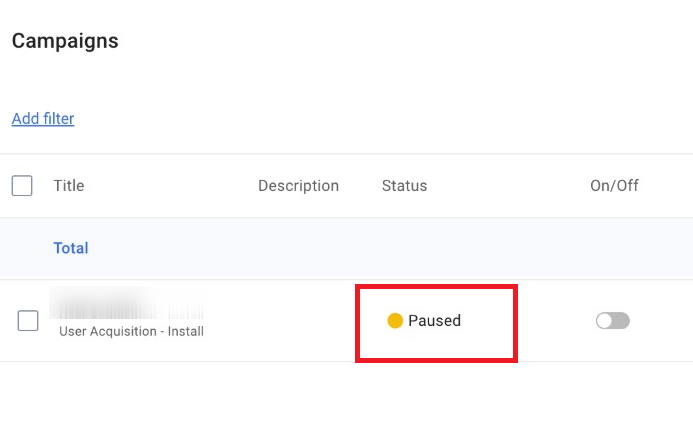
The Paused status means that the campaign has been stopped manually. This happens when the user switches it to Off in the dashboard.
However, it can be difficult to monitor everything manually — especially when you’re running multiple campaigns at once. For this reason, the advertising platform from RentAcc includes an automated rules system that can pause campaigns automatically when certain conditions are triggered. For example:CPI is rising, there are no installs, the advertised app has been banned or removed from the store.
6. Completed
If the campaign’s end date has passed, the system automatically assigns it the Completed status — regardless of whether the toggle is on or off. This status means that delivery has fully ended and the campaign will no longer receive traffic.
You can also connect an agency account for Moloco through the RentAcc platform. We provide access to agency dashboards and simplify campaign management — for example, by automatically stopping campaigns if an app is removed from the store or by topping up the account balance to prevent downtime and capture the maximum amount of traffic for your apps.
 Share this post