

For many webmasters, push notifications have become a convenient alternative to other traffic sources. This format has helped solve the problems of those tired of Facebook bans for gray offers, as well as those working with teaser networks and losing huge testing budgets while receiving streams of bot traffic instead of real leads.
In this article from the RentAcc platform, we’ll discuss what a push notification should look like to make users want to click, why segmentation plays a key role in traffic performance, and how to build proper funnels so users gradually warm up and convert instead of getting tired of intrusive notifications. We’ll also reinforce the insights with recommendations from Evgeny Fomenko, co-owner of the services PUSH.express and RentAcc, who shares tips on making push campaigns even more effective.
Understanding Push Notification Formats
Push notifications are supported on Android, iOS, and Windows, as well as in most popular browsers — Google Chrome, Yandex Browser, Opera, and Mozilla Firefox. Messages can only be sent after explicit user consent.
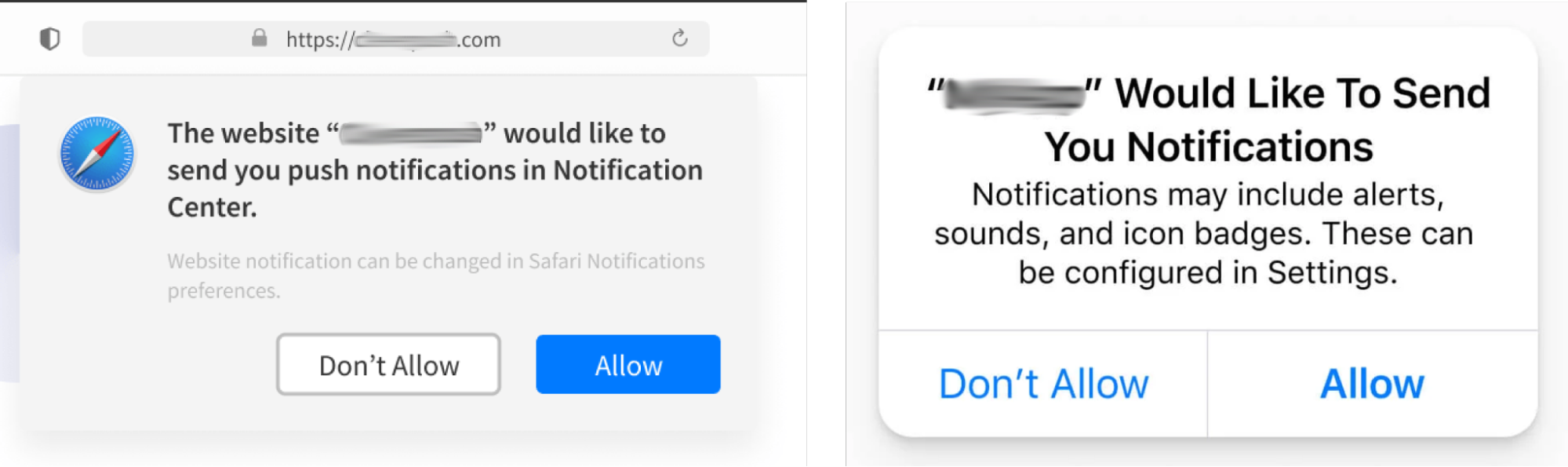
Once permission is granted, notifications continue to arrive even if the tab is closed or the app is inactive. This is possible thanks to Service Worker technology, which runs in the background and receives messages regardless of whether the website is open.
Mobile Push consists of text-only messages without additional elements. Essentially, it’s the simplest format, similar to SMS. These messages are mainly sent by mobile applications and inform users about a specific offer.
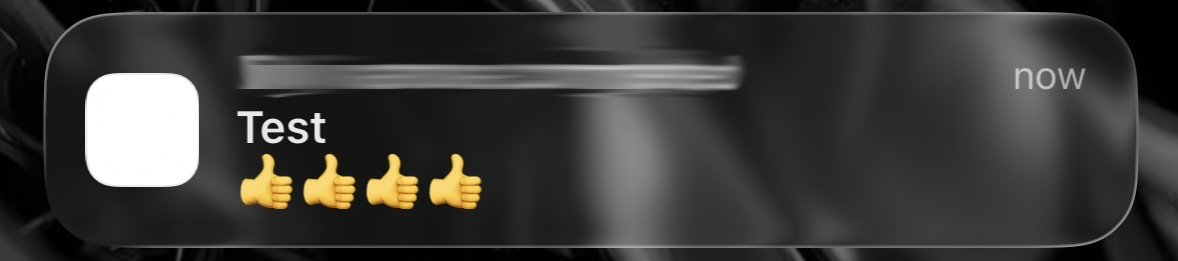
Web Push notifications are sent by websites and appear in the browser on desktop or mobile devices. The format is supported by most modern browsers and is often used for news updates, content distribution, and promotional messages.
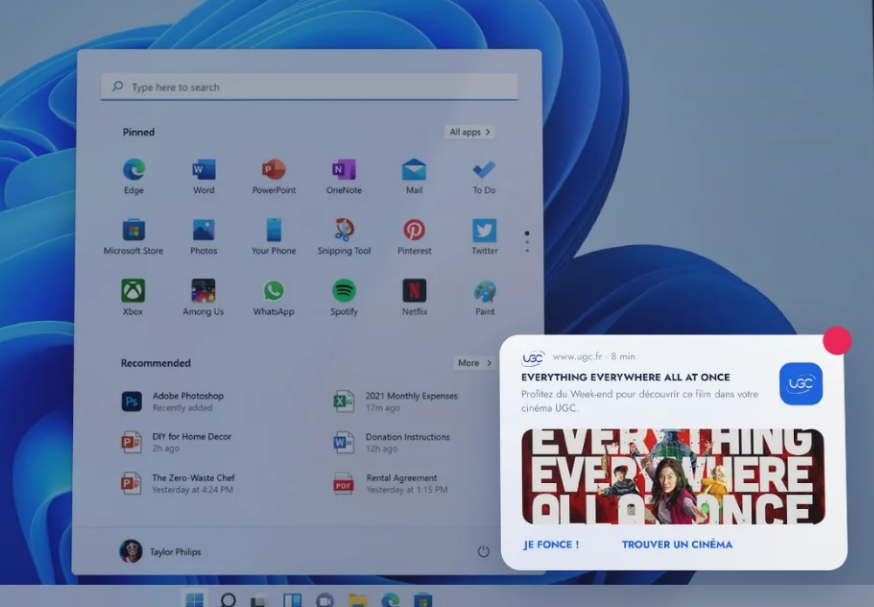
Rich Push is an extended format. In addition to text, it can include images, audio or video, action buttons, and other interactive elements. This option works well when it’s important not just to deliver information, but to grab attention and drive action.
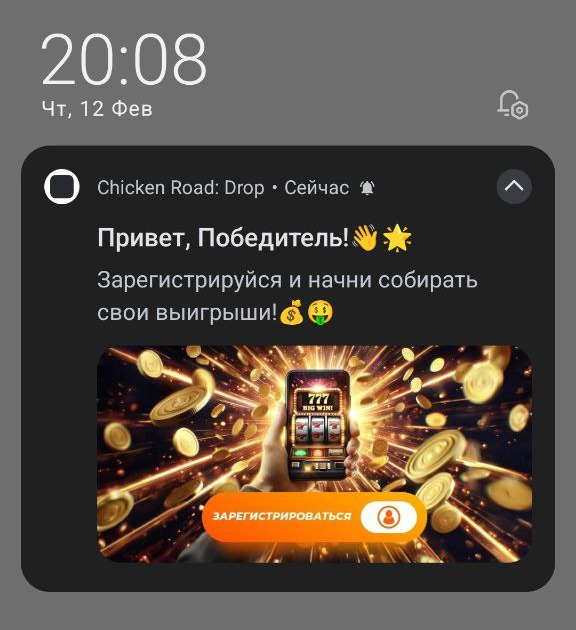
In-App Push notifications appear directly within a mobile application interface while it is open. They usually contain visual or interactive elements.
Most commonly, they are used as trigger messages: reminders, personalized offers, loyalty program bonuses, or responses to specific user actions.
Rules for Working with Push Notifications
Before launching a push campaign, it’s crucial to clearly understand who you are going to show your ads to. Defining your target audience is a fundamental stage of any advertising strategy — and push traffic is no exception. Without this, it’s easy to waste your budget during testing and get no results.
To avoid unnecessary losses, answer a few key questions:
- Who is your audience?
For example, if you work in the dating vertical, it’s logical to assume the main segment is men aged 25–50. Depending on the specifics of the offer, the target audience profile may vary. It should be defined before launch to achieve the first mailing results. - What do these people need?
What problem does your offer solve? Understanding audience motivation directly affects push copy. If you clearly understand the user’s pain point or desire, you can reflect it in a short but compelling message. - Where is your audience located?
Which sources and placements will be most relevant? For instance, promoting gaming apps through science-focused websites is questionable. Many push networks allow placement selection — and this option should be used wisely.
Audience Segmentation
Audience segmentation can be based on geography, interests, behavior, and other characteristics. It becomes especially important at the scaling stage, when you’re running not just one campaign, but dozens. The more precise the segmentation, the easier it is to manage bids, creatives, and traffic volumes.
According to Evgeny Fomenko, effective work with push notifications always starts with segmentation. In theory, users can be segmented endlessly: by key events (registration, first deposit, second, third), by countries, offers, time since installation, activity level, reactivation status, and many other parameters. That’s why PUSH.express uses a structured approach that clearly separates “key business events” (for example, registration, first and second deposit) from “traffic segmentation filters” (such as GEO, offers, etc.).

“The key principle of setting up push campaigns in PUSH.express is properly building push funnels to enable effective analysis. The concept is that there are no ‘effective pushes’ — there are effective push funnels, meaning a sequence of notifications sent to the right audience at the right time.
We base everything on key business events that allow us to track user behavior and compare which pushes lead faster and more frequently to meaningful actions, such as the first deposit.
In practice, it looks like this: registration → first deposit → second → third → subsequent deposits. Additional segmentation by offers and countries is applied when necessary, with convenient analytics available.”
Call to Action
Regardless of format, the call to action (CTA) plays a decisive role. A clear and understandable CTA directly impacts click-through rates. The user must understand why they should tap on the notification.
To strengthen motivation, push notifications can mention:
- free gifts and giveaways;
- early access to new features;
- exclusive discounts;
- event-based offers;
- time-limited deals;
- rewards for reaching specific milestones;
- loyalty bonuses.
Notification Content
According to data from App Annie, push notifications with emojis can increase open rates by up to 85%, as they make the message more noticeable, help convey emotion, and create a sense of live communication. In the notification feed, such messages attract more attention because they visually stand out.
Evgeny Fomenko emphasizes that localization is an essential element of a strong push strategy. Notifications should automatically adapt to the user’s device language. With proper technical architecture, this is implemented easily and does not require manual adjustments for each country:
“If our clients’ technical capabilities allow it, we also use personalization: inserting the user’s name into the push text, birthday mailings, individual bonuses, or tailored offers.”
Such personalized push notifications demonstrate significantly higher response rates, but their implementation depends on data availability and proper technical integration. A survey by OneSignal found that personalized push notifications can increase engagement by up to 260% compared to generic ones.
Sending Timing
It’s important to carefully plan both the timing and frequency of push notifications. Take into account time zones and user habits. Notifications sent too frequently quickly cause irritation, so it’s essential to find a balance: remind users about yourself regularly, but don’t turn your mailing into spam.
After a user enters a specific segment — for example, registered but hasn’t made a deposit — a push cycle is launched, tied to the time they remain in this state.
Example time-based logic:
push on the day of registration → after 1 day → after 2–3 days → after 5 days → after 10 days and further.
Such cycles can be configured quite flexibly, but frequency must always be considered. Practice and numerous tests show that “over-pushing” is unacceptable.
While the user is highly engaged, it’s acceptable to send 2–3 push notifications per day. As activity declines, frequency should gradually decrease — this is exactly why push funnels with expanding intervals are used.
This approach is implemented in PUSH.express. Moreover, all push funnels, frequencies, timings, and notification texts are generated automatically using AI, while clients can later adjust them as needed. This allows you to avoid being overloaded with manual settings, maintain system transparency, and still cover all key business scenarios.
What Metrics to Analyze to Increase Engagement
According to 2025 push campaign statistics from Airship and Business of Apps:
- On average, a smartphone user receives 46 push notifications per day.
- The overall opt-in rate for push notifications is 60%.
- Average Android push CTR is 4.6%.
- Average iOS push CTR is 3.4%.
- Rich formats increase CTR by 25%.
- Advanced targeting (based on preferences, behavior, location) improves retention rates by 300%.
- Personalized push notifications increase CTR by 400%.
- Using emojis in push notifications increases reaction speed by 20%.
- Multimedia elements (images, GIFs, videos) increase clicks by 25%.
- A/B testing of sending times can improve response rates by 40%.
To make push notifications effective, it’s not enough to simply set up a mailing campaign. You need to regularly monitor performance indicators and understand how your audience responds to messages. Below are the key metrics to track and analyze.
| Key metrics | What does it show? |
|---|---|
| OR (Open Rate) | The percentage of users who received and opened the notification. When analyzing OR, it’s important to consider the number of users who have opted in to receive push notifications. If the subscriber base is small, campaign scale will be limited regardless of creative quality. |
| CTR (Click-Through Rate) | Shows the ratio of clicks to delivered notifications and helps evaluate how engaging the message was for users. |
| CR (Conversion Rate) | The percentage of users who completed the target action: registered, placed an order, made a deposit — depending on the offer’s goal. Clicks alone do not generate profit; conversions do. Therefore, this metric is critically important. |
Additionally, monitor the total number of subscribers to track growth dynamics, including new subscriptions and unsubscribes, delivered notifications, and overall audience reaction. An increase in unsubscribes or complaints signals that frequency, content, or segmentation is set incorrectly. Regular analysis of these metrics helps adjust your strategy in time and improve engagement.
Summary
The agency account rental platform RentAcc understands how important timely notifications are. You can be sure to receive instant updates about account status changes, balance, and other key events directly in Telegram. Control your launches, stay informed about all updates and work more efficiently with Facebook, Moloco DSP, and other traffic sources.
 Share this post